
- As per Fortune Business Insights, the geofencing market is expected to hit $3.92 billion in 2026, growing at a 14.8% CAGR.
- GPS, Wi-Fi, Bluetooth, RFID, and UWB all play differently here. Each balances accuracy, range, and cost in its own way. The choice really comes down to where you’re deploying it.
- The use cases are wider than they first seem. Logistics, retail, healthcare, agriculture, construction, insurance, smart parking, public safety – it’s already everywhere.
- AI is starting to shift things from reactive to predictive. Instead of waiting for someone to cross a boundary, systems can act before they even arrive.
- The key is simple: match the tech to the environment. Not to what’s cheapest or most familiar.
From retail aisles to farms and logistics hubs, geofencing is quietly changing how businesses run and how they connect with people. No surprise the market is set to reach $3.92 billion this year, growing at a 14.8% CAGR through 2034, according to Fortune Business Insights.
Geofencing works in a pretty simple way: the moment someone enters a defined area, a response gets triggered in real time. The real value isn’t the trigger itself, though it’s what you build around those moments.
In this guide, I’ll go through 13 geofencing use cases across industries, break down the main technologies behind them (GPS, BLE, Wi-Fi, RFID, UWB), and show how they’re actually implemented step by step. It’s based on what I’ve seen building location-aware systems for fleet management, logistics, and smart home products.
What is geofencing and how does it work?
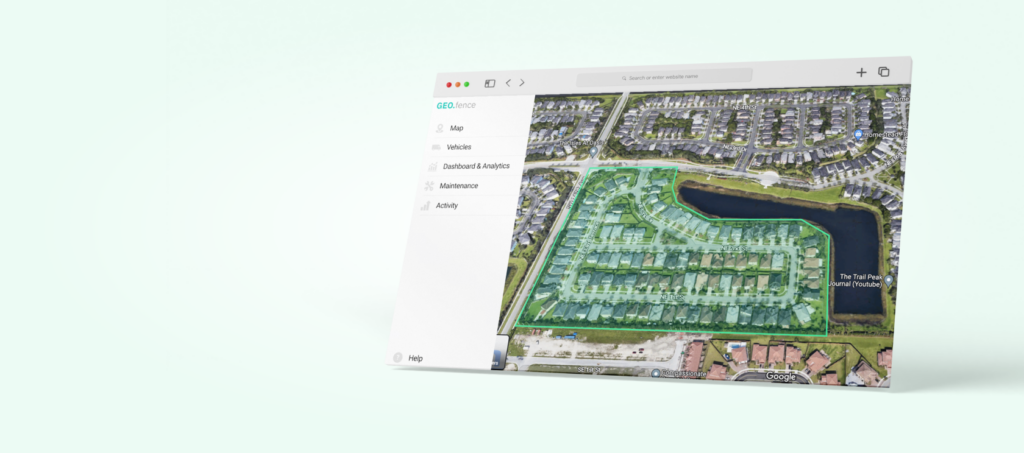
Geofencing is an event-driven system built on location. You define a virtual boundary around a real-world area. When a device crosses that boundary, the system fires a trigger – a push notification, a data log, an API call, or a security lockdown.
The pattern is always the same: boundary + trigger condition (enter, exit, or dwell) + action. What changes between industries is the business logic wired to that trigger. A retail geofence fires a coupon. A fleet geofence logs an arrival. A hospital geofence locks a door. The technology is identical – the value comes from the action layer.
How does geofencing technology work? GPS vs BLE vs Wi-Fi vs RFID vs UWB
Not all geofencing is the same. Five positioning systems do the bulk of the work. Each suits a different environment, accuracy requirement, and budget.
- GPS figures out location from satellite signals and can get within about 3–5 meters outdoors, without needing any local setup. That works well in big open areas for workflows like delivery zone monitoring or fleet routing. It works poorly indoors because signals don’t pass through buildings well, and it tends to drain the battery faster.
- BLE beacons send out short-range signals, and the phones gauge distance based on signal strength. It’s not super precise – anywhere from about half a metre to ten metres – but good enough for doors, aisles, or displays. BLE beacons are relatively cheap and run for years on tiny batteries. Still, there’s a big downside: signals can get messy around metal, walls, and crowds.
- Wi-Fi positioning uses nearby access points instead of beacons. It matches the device’s network “fingerprint” to a saved map to identify its location, usually within a couple of metres. No extra hardware needed if Wi-Fi is already there. Unfortunately, those maps often get outdated and need upkeep.
- RFID doesn’t track where something is all the time – it just logs when it passes a point. A reader picks up a tag once it’s in range, from a few centimetres to several metres, depending on the setup. That’s perfect for access points, inventory gates, or checkpoints. The downside is that RFID won’t tell you where something is inside a larger space.
- UWB is currently the most precise option. It measures signal travel time, not strength, and can get accuracy down to a few centimetres. It also holds up well around metal, where BLE and Wi-Fi struggle. The catch is cost – the hardware isn’t cheap, so it’s mostly used in high-value setups like manufacturing or operating rooms.
Each technology has different accuracy, range, power consumption, and cost characteristics. Choosing the wrong one is the most common mistake I’ve seen in geofencing projects.
| Technology | Accuracy | Range | Best for | Limitation |
|---|---|---|---|---|
GPS | 3-5 meters | Unlimited (outdoor) | Fleet tracking, logistics | Poor indoors, drains battery |
Wi-Fi | 5-15 meters | Building-level | Retail, offices, campuses | Requires Wi-Fi infrastructure |
Bluetooth (BLE) | 1-3 meters | Up to 100m | Indoor nav, proximity marketing | Requires beacon hardware |
RFID | Centimeters | Up to 12m | Warehouse, access control | Very short range |
UWB | 10-30 cm | Up to 200m | Precision indoor tracking | Higher cost, newer tech |
Most geofencing applications don’t need centimeter precision. For fleet management, GPS with a 200-meter radius handles 90% of use cases. For retail proximity alerts, BLE beacons at store entrances work well. Don’t over-engineer the accuracy requirement – it drives up cost and battery drain.
Why do businesses use geofencing?
Geofencing works because it reaches people at the moment of relevance – not at random. That timing alone is what drives stronger engagement across industries. Here are the core benefits:
- Context-aware messaging. A push notification sent when someone is physically nearby simply performs better than the same message sent in isolation. Location and timing do most of the heavy lifting.
- Real-time operational visibility. Instead of waiting for updates, teams get instant signals when assets, vehicles, or people enter or leave a zone. It turns check-ins into something automatic.
- Automated compliance. Access control, time tracking, or safety rules can run in the background, cutting down manual work and mistakes.
- Offline-to-online attribution. Geofencing technology connects digital campaigns to physical-world behaviour – one of the few channels that can close that loop reliably.
- Competitive positioning. Geofencing lets businesses reach people right near competitor locations. It’s a simple idea, but hard to match with other marketing channels.
What are the top geofencing use cases? 13 industry examples
Across different domains, geofencing holds the same pattern: a boundary is crossed, a trigger fires, and an action follows. Here are 13 geofencing examples showing how different industries can tailor this technology to their business logic.
1. Logistics and fleet management
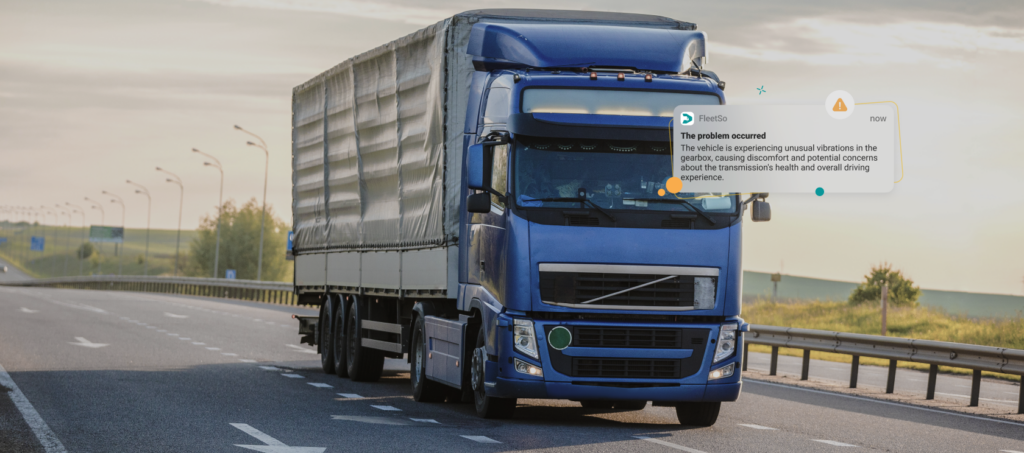
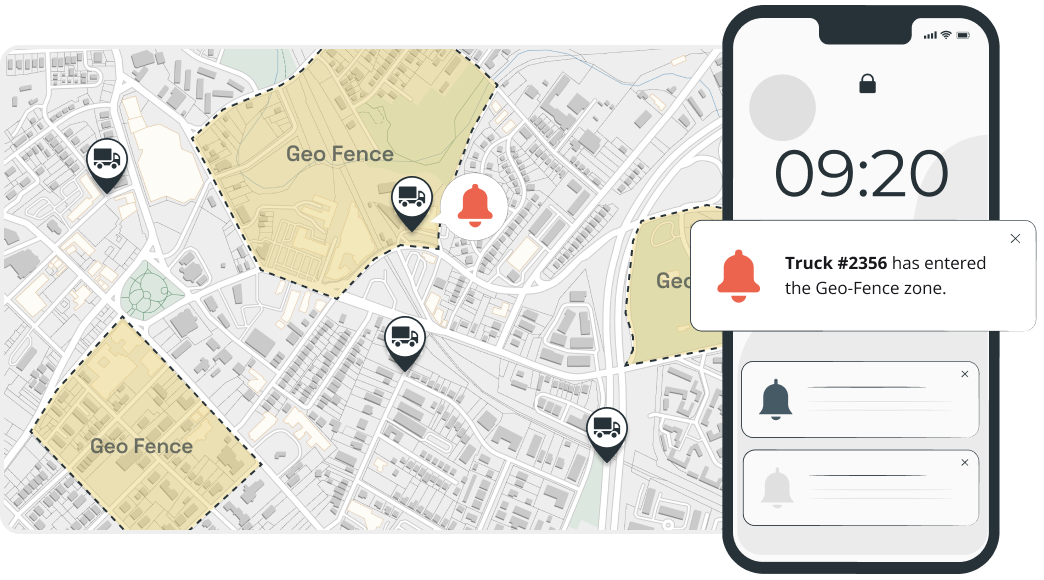
Think less paperwork, more signals. Geofencing usually sits inside a driver or employee app, tied to GPS or sometimes RFID. Warehouses, delivery zones, restricted sites – all mapped as invisible borders. When someone enters or leaves a zone, it’s logged automatically, helping logistics teams track movement, verify routes, and cut down on manual check-ins.
Application examples:
- Arrival/departure logs at distribution centers, no manual check-in needed.
- Warehouse geofencing for better inventory management and real-time item tracking within facilities.
- Route optimization geofencing that triggers alerts when vehicles drift off assigned routes or enter restricted areas.
- Last-mile alerts when a delivery is getting close.
- Flagging unexpected stops outside approved refueling locations to help prevent fuel misuse.
Value: Ensures fewer delays, tighter routes, less fuel burned, a clean trail of every move.
2. Retail and location-based marketing
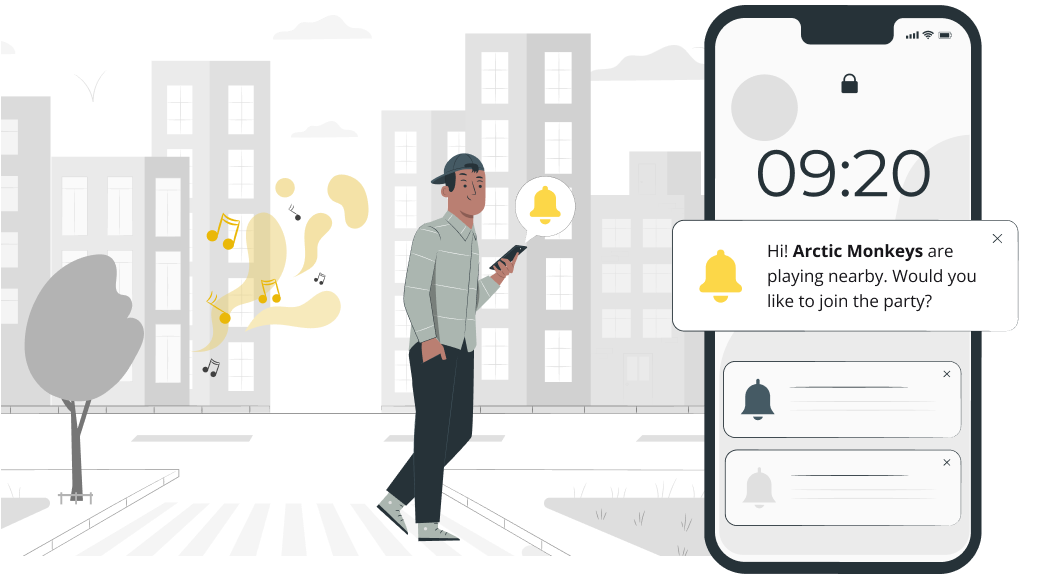
Geofencing allows retailers to engage potential customers the moment they enter a defined area around a store, shopping center, or competitor location. In fact, the report from S&S Insider reveals that hyperlocal promotions powered with geofencing drive a 30% higher conversion rate compared to non-geotargeted campaigns. A store app, typically backed by GPS or BLE, picks it up and reacts. At that moment, a potential buyer receives a personalized ad through the store’s mobile app. Such timely offers intend to convert foot traffic into sales.
Application examples:
- Push notifications with discounts popping up right near the entrance.
- Loyalty nudges when someone walks into a mall.
- Product recommendations tied to the aisle or section nearby.
- Ads with alternative offers triggered near competitor stores.
Value: Increases foot traffic and in-store conversion rates by reaching customers at the moment of highest purchase intent.
3. Events and conferences
Event organizers can give attendees a mobile app that, in most cases, uses Wi-Fi or BLE-based geofencing to make managing crowds a bit smoother and provide a more personal experience. Set up virtual zones around stages, halls, or key areas, and the app can trigger updates or collect real-time insights as people move through the venue.
Application examples:
- Auto check-ins, badges, welcome messages.
- Session reminders when participants are close to a specific place.
- Heatmaps showing what event zones get packed.
- Post-event surveys sent right as people leave.
Value: Improves attendee engagement, reduces on-site confusion, and provides organizers with data to optimize future events.

4. Healthcare
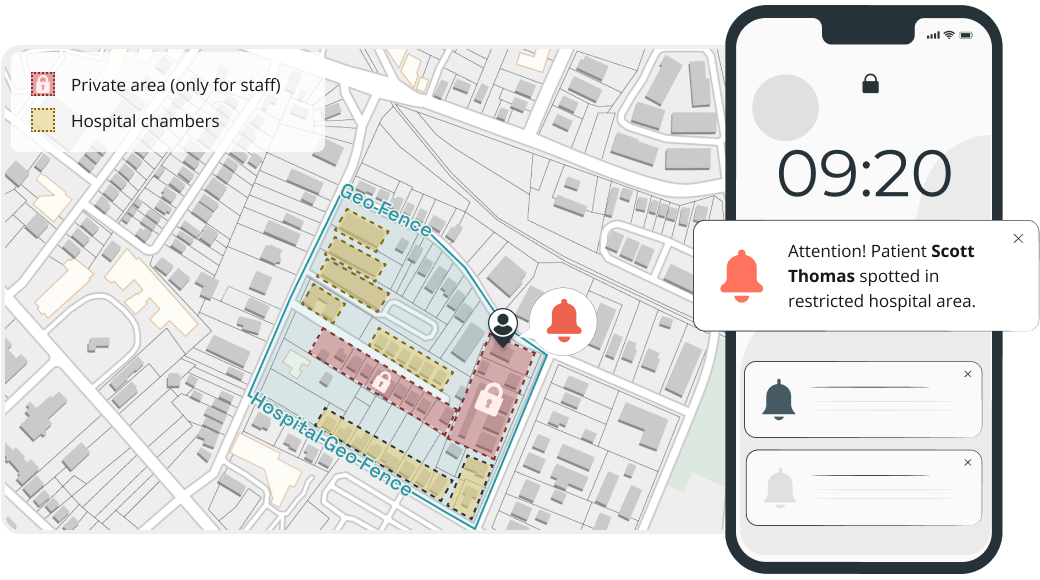
Geofencing in healthcare facilities helps improve patient safety, equipment usage, and compliance with regulations. In practice, it often runs through a hospital app or staff devices using Wi-Fi or BLE beacons. That way, the system can track when equipment enters restricted areas or when patients move beyond set zones.
Application examples:
- Alerts when dementia or high-risk patients wander off designated zones.
- Automatic hand hygiene compliance reminders triggered at room entry points.
- Real-time location tracking for portable medical equipment, such as infusion pumps and wheelchairs.
- Staff proximity detection to ensure adequate nurse-to-patient ratios per ward.
Value: Reduces patient safety incidents, minimizes equipment search time, and supports compliance with healthcare regulations and accreditation standards.
5. Agriculture and farming
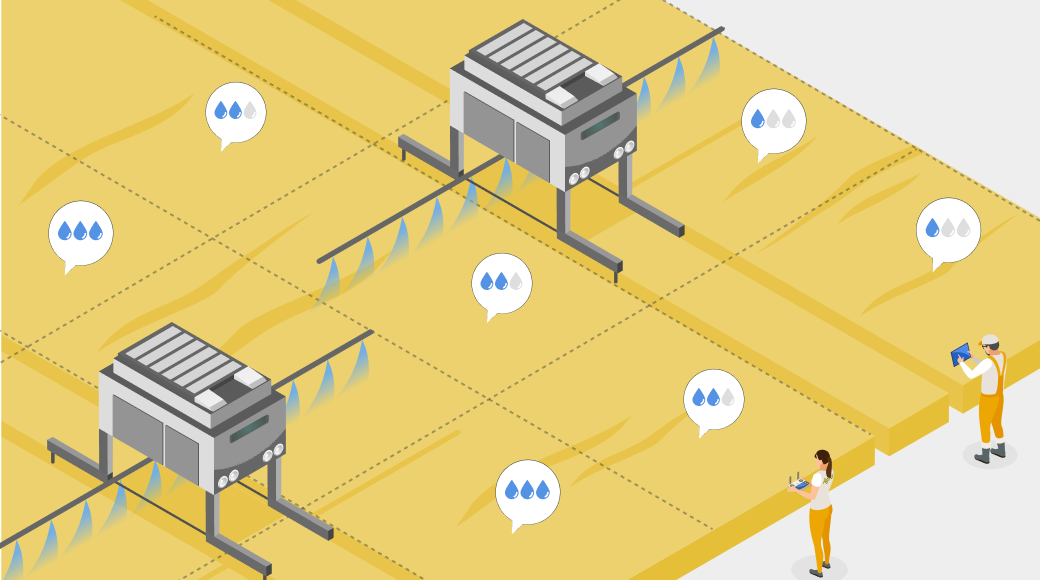
Geofencing lets farmers split fields into smaller zones and manage each one a bit differently. With a farm app or GPS-enabled equipment, they can track what’s going on and tweak things like irrigation or spraying as they go. For livestock, the same idea works as a virtual fence – no physical barriers needed.
Application examples:
- Automated irrigation adjustments based on which field zone sensors detect as dry.
- Drone spraying activation is limited to geofenced areas that require pesticide treatment.
- Alerts when livestock drift too far or approach hazardous areas.
- Harvest crew coordination by assigning geofenced sections to specific teams.
Value: Optimizes water, fertilizer, and labor usage while reducing crop loss and livestock safety risks across large-scale operations.
6. Security and access control
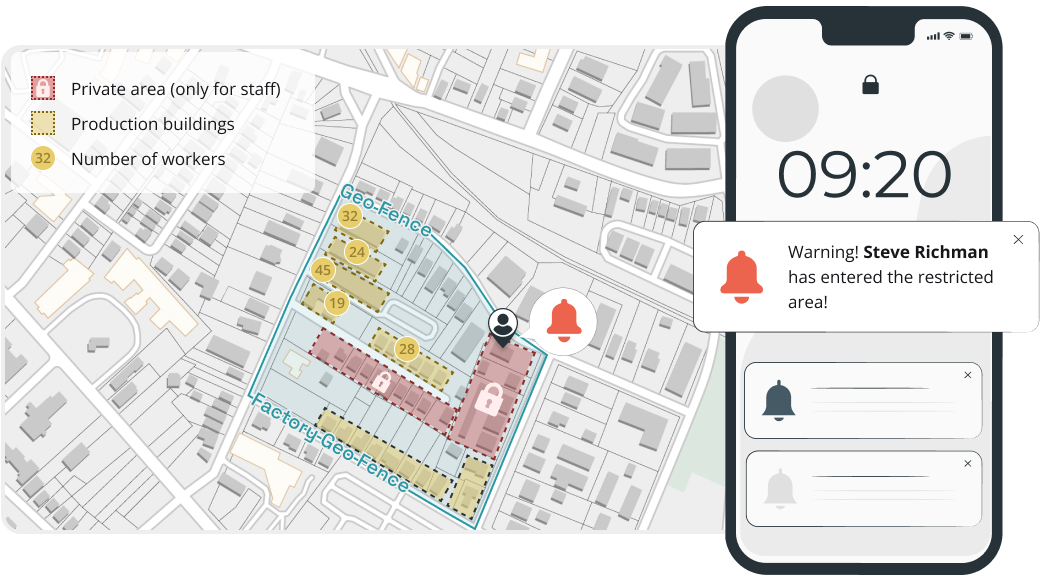
Geofencing adds a simple layer to security – it reacts to where people or assets actually are, not just what cameras see. Typically, it runs through a security app, plus RFID or UWB tags on equipment or staff badges. Once something crosses a boundary, the system reacts on its own. It helps security teams reduce manual monitoring and ensure faster response when something’s off.
Application examples:
- Access revoked the moment an employee leaves the designated zone.
- Intrusion alerts when unauthorized devices are detected within a restricted zone.
- Automated camera activation and recording when motion is detected in off-limits areas after hours.
- Visitor management with temporary geofenced access that disappears on exit.
Value: Strengthens physical security with automated enforcement, reduces false alarms through location context, and creates detailed access audit trails.
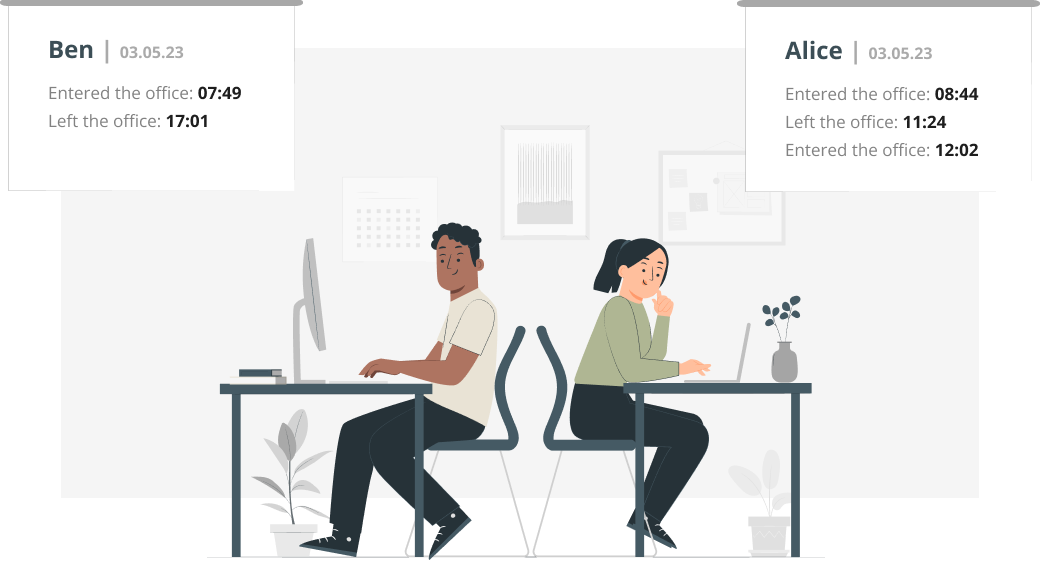
7. Employee monitoring and time tracking
Geofencing takes a lot of the hassle out of managing teams across sites. Instead of chasing timesheets, people just clock in automatically through a mobile app – using positioning systems on site. It helps managers cut a lot of administrative workflows while preserving solid operational visibility.
Application examples:
- Automatic time logging when employees enter or leave a job site.
- Overtime alerts triggered when a worker remains within a geofenced area beyond scheduled hours.
- Verification that remote or field-based employees are at the assigned work location.
- Break compliance tracking by monitoring when employees leave and return to the work zone.
Value: Eliminates timesheet fraud, reduces payroll errors, and provides managers with real-time workforce visibility across multiple locations.
Geofenced time tracking works best when it’s transparent. Employees should know the geofence exists and see their own clock-in/out records.
8. Real estate
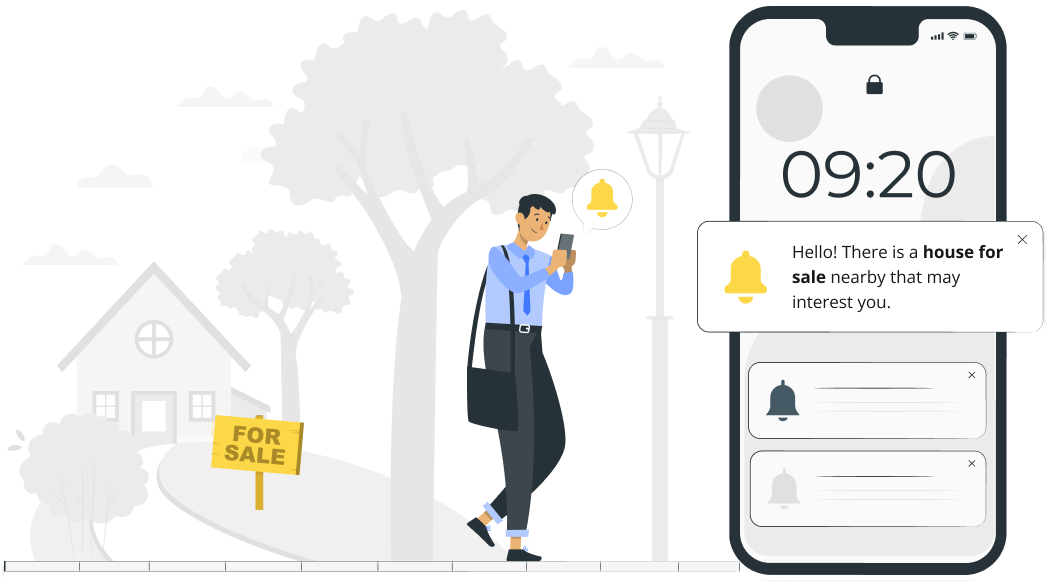
Geofencing helps real estate apps reach potential buyers while they’re actually out exploring neighbourhoods or checking nearby listings. Using phone location services like GPS and Wi-Fi positioning, it turns real-world intent into timely alerts and property recommendations.
Application examples:
- Property detail notifications sent to users browsing a neighborhood with active listings.
- Open house reminders triggered when a registered prospect enters the surrounding area.
- Local information (schools, transit, crime stats) shown automatically as buyers explore an area.
- Tracking which listings actually get attention and generate the most foot traffic.
Value: Connects with buyers during their most active decision-making moments, increasing showing attendance and shortening the sales cycle.
9. Tourism and hospitality
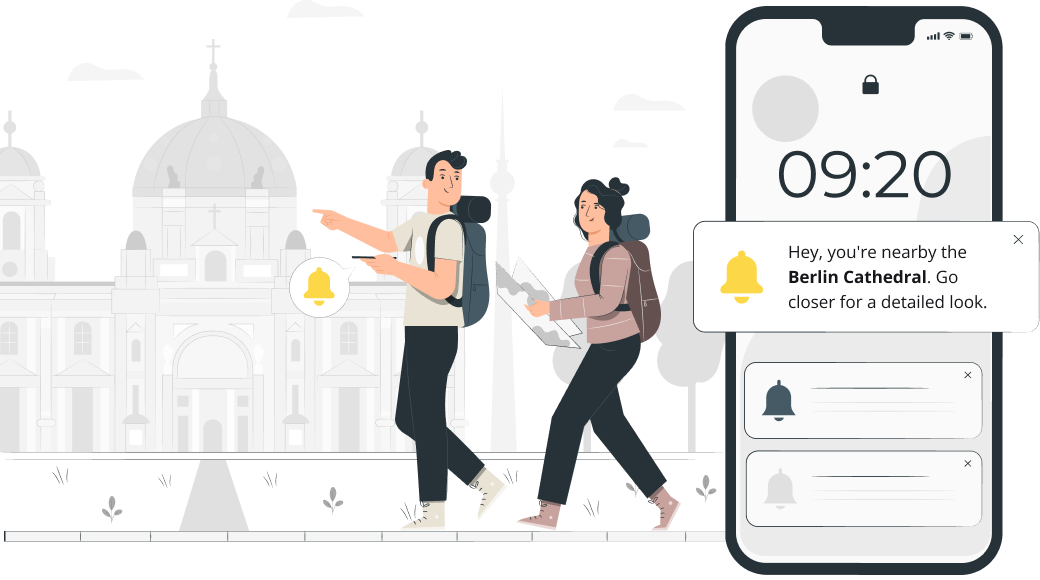
Geofencing makes travel easier in a pretty simple way – tourists get the right information right when they need it. All they need to do is open a travel app, walk around, and get targeted ads in specific locations. Typically, GPS or Wi-Fi picks up a user’s location, delivering personalized ads from tourism and hospitality businesses. Recommendations on nearby spots, tips, or reminders pop up as travelers keep exploring the area.
Application examples:
- Audio guides and historical facts triggered when tourists approach landmarks or monuments.
- Hotel check-in preparation is initiated automatically when a guest enters the property’s radius.
- Nearby restaurant and activity recommendations pushed based on a traveler’s location.
- Content delivery that switches based on which geofenced cultural zone a visitor enters.
Value: Creates a more immersive and convenient travel experience, increases on-site spending through timely recommendations, and reduces the need for physical signage.
10. Public safety and emergency management
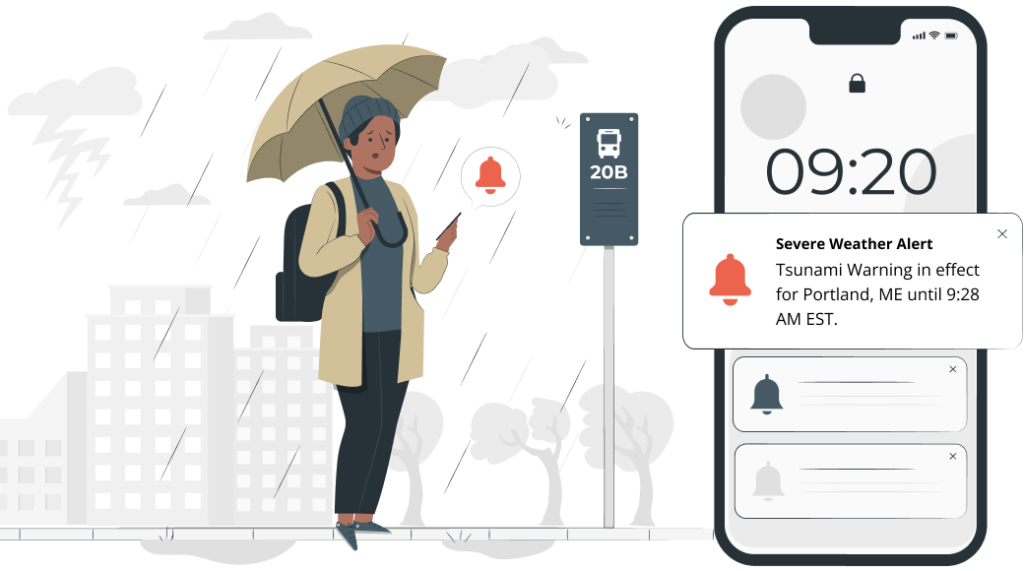
Government agencies and emergency services can use geofencing in public safety apps to reach people right where it matters most. Instead of blasting alerts everywhere, positioning systems help narrow it down to the exact area affected – whether it’s a flood, wildfire, industrial accident, or security threat.
Application examples:
- Evacuation instructions sent only to people inside a flood or wildfire zone.
- Shelter locations and supply updates pushed to users in affected areas.
- Warnings sent when someone enters a restricted zone or a dangerous perimeter.
- Post-disaster safety clearance notifications as geofenced zones are reopened.
Value: Speeds up emergency communication, reduces panic from irrelevant mass alerts, and enables targeted resource deployment to affected populations.
11. Construction
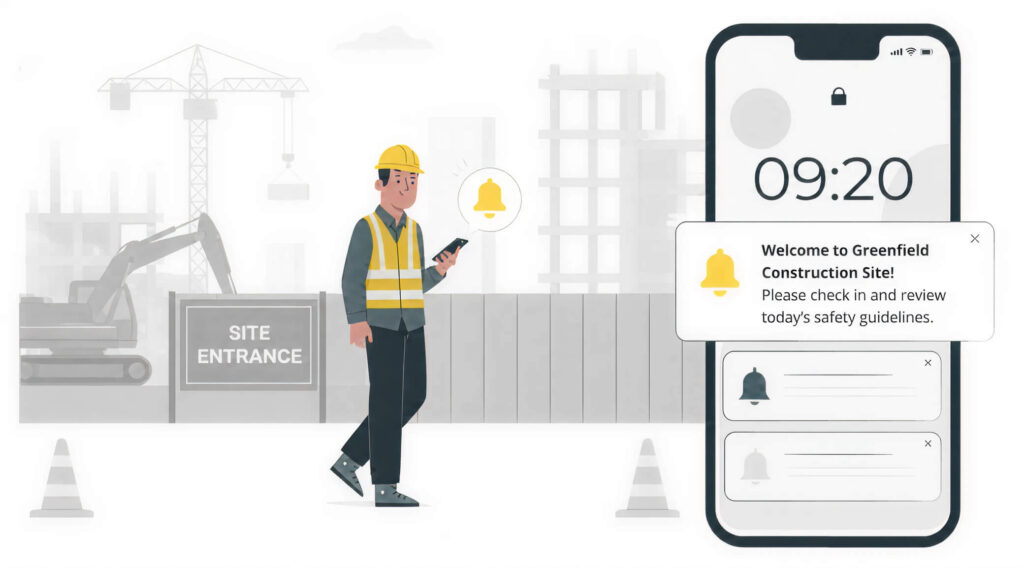
Construction companies use geofencing to improve site safety, cut down equipment theft, and stay on top of work-zone rules. In practice, it typically runs through a construction safety app on workers’ phones, along with GPS or RFID trackers on heavy equipment. Alerts trigger automatically when something moves into or out of a restricted area.
Application examples:
- Safety briefing requirements triggered on a worker’s phone upon first entry to a new site.
- Alerts when heavy equipment is moved outside the construction zone during off-hours.
- Unauthorized access detection for active sites with hazardous conditions.
- Noise and work-hour compliance monitoring by tracking activity within residential buffer zones.
Value: Reduces workplace accidents through automated safety enforcement, prevents costly equipment loss, and helps maintain regulatory compliance.
12. Insurance
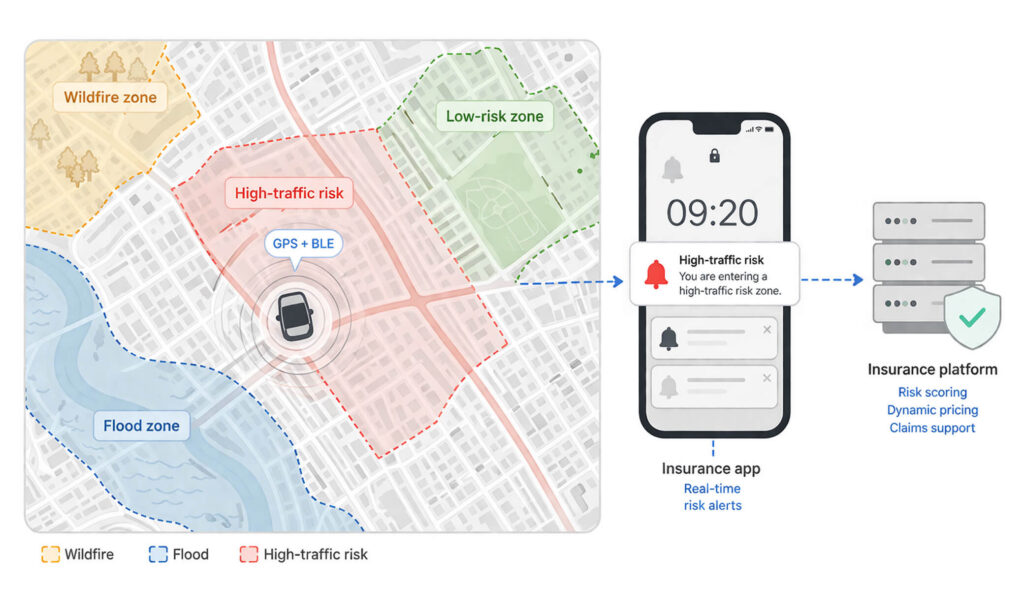
Insurance companies use geofencing to offer pricing that reflects how and where people actually use their policies. In practice, it runs through a mobile insurance app on the customer’s phone, typically using GPS or BLE signals in the background. From there, it’s mostly about patterns – how someone moves, how often, and where. That data helps insurers fine-tune risk, adjust pricing, and move faster when a claim comes in.
Application examples:
- Usage-based auto insurance that adjusts premiums based on driving within high-risk geofenced zones.
- Automatic claims initiation when a collision is detected in a geofenced area.
- Property insurance risk scoring based on proximity to geofenced flood plains, wildfire zones, or crime hotspots.
- Proof-of-location verification for commercial fleet insurance claims.
Value: Enables more accurate risk pricing, reduces fraudulent claims through location verification, and improves customer satisfaction with personalized premiums.
13. Parking and smart cities
Cities and parking operators use geofencing to make parking a bit less chaotic – fewer people circling the block, more automation in enforcement. Typically, it runs through a parking app on a citizen’s phone, using GPS or sometimes public Wi-Fi signals to detect when the user enters or leaves a paid zone. What used to be static parking spots becomes something more responsive and data-aware.
Application examples:
- Automatic parking fee calculation when a vehicle enters and exits a geofenced parking zone.
- Real-time vacancy notifications guiding drivers to available parking spots.
- Low-emission zone enforcement with alerts when non-compliant vehicles enter restricted city areas.
- Dynamic pricing adjustments based on real-time parking spot occupancy.
Value: Reduces urban congestion and emissions from circling traffic, automates parking revenue collection, and supports smart city traffic management initiatives.

How to implement geofencing for your business
A geofencing system usually comes down to three parts:
- Where the location data comes from (GPS, BLE, Wi-Fi, RFID, or UWB).
- The rules that define the boundary and triggers.
- What happens next (like notifications, API calls, or logging events).
From there, it’s mostly about turning the idea into a working setup in a few steps.
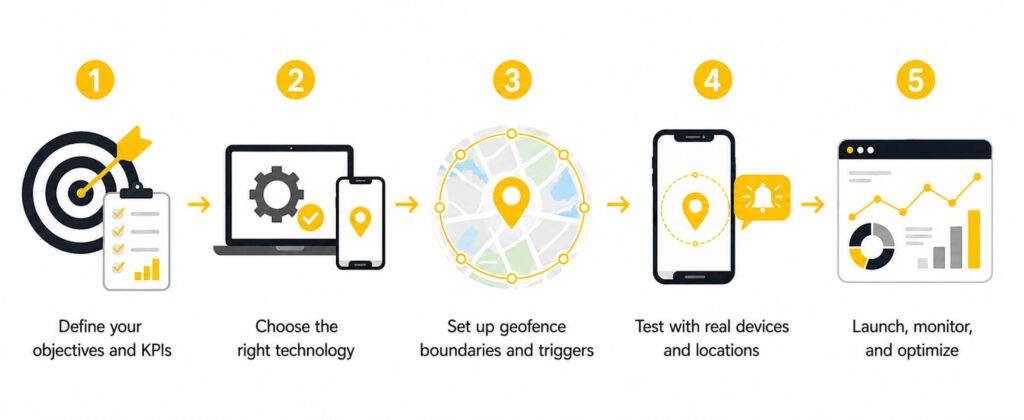
Step 1: Define your objectives and KPIs
Start with the business outcome, not the technology. Your objective determines every downstream decision: geofence radius, trigger type, notification strategy, and the metrics you track. For proximity marketing, track open rates and in-store conversion. For fleet management, measure arrival accuracy and route deviations. Set measurable KPIs before writing any code.
Step 2: Choose the right technology
Match your technology to your environment. GPS for outdoor geofences above 50m radius. BLE beacons for indoor positioning precision (1-3m). Wi-Fi for building-level zones without extra hardware. RFID for centimeter-level accuracy at short range. UWB for high-precision indoor tracking when the budget allows for it. For more insights on indoor location tracking, check out our detailed guide to developing indoor positioning systems.
Step 3: Set up geofence boundaries and triggers
Define your zones, such as location, shape (circle or polygon), and what actually triggers the action (enter, exit, or dwell). Start a bit broad, then tighten things up once you see real usage data. Don’t overdo notifications. Most setups keep it around 3–5 a day per user. Otherwise, people just ignore them.
Step 4: Test with real devices and locations
Test it where it actually matters – on-site, with real phones. Do not rely just on results from a simulator. Positioning systems are not perfectly stable. iOS and Android also behave differently in the background, so check both. Walk the boundary, drive through it, try to break it because that’s where the real issues show up.
Step 5: Launch, monitor, and optimize
Monitor trigger accuracy, false positive rates, user engagement, and battery impact. Most geofencing campaigns need 4-6 months of tuning before reaching peak performance. Our guide on geofencing in fleet management covers fleet-specific implementation patterns in detail.
How are AI and machine learning changing geofencing?
AI is shifting geofencing from reactive to predictive – anticipating where a user is heading and acting before they arrive. In fact, an article by Nature Scientific Reports reveals that LSTM-based models achieve 83% accuracy for top-5 location predictions.
- Predictive geofencing. ML models analyze movement patterns to predict destinations. Fleet systems identify likely ETA violations 15 minutes before they happen and reroute automatically.
- Anomaly detection. AI asks “is this movement normal?” instead of just “did they cross a boundary?” – flagging unusual stops, unauthorized area access, or erratic behavior patterns.
- Dynamic geofences. Boundaries that adapt to real-time conditions. Delivery zones shrink during peak congestion, safety perimeters expand in bad weather.
- Intelligent notification timing. AI determines the optimal moment to send alerts based on user behavior patterns, not just boundary crossing.
- Edge computing. On-device AI models reduce latency to milliseconds for safety-critical geofence technology and enable operation without network connectivity.
The most practical AI + geofencing wins are in fleet management – predicting ETA violations and notifying dispatchers automatically. Production-ready for structured use cases; consumer-facing predictive geofencing is still maturing.
What are the privacy rules for geofencing?
Location data is personal data under GDPR, CCPA, and most modern privacy laws. Penalties are steep – up to 4% of global revenue under GDPR, up to $7,988 per intentional violation under CCPA. To stay compliant and reduce risk, focus on the following principles:
- Consent. Users must opt in before any location data collection. iOS and Android require explicit permission dialogs for background location access.
- Data minimization. Store boundary-crossing events (zone ID, timestamp), not continuous GPS trails. Delete logs after the retention period.
- Transparency. Explain what you collect, why, and for how long. Provide a clear way to revoke consent and request data deletion.
- Data security. Encrypt in transit (TLS 1.2+) and at rest (AES-256). Limit access to raw location data. Implement audit logging.
- Regional compliance. Rules work differently across countries and regions. For instance, consent and data retention requirements in GDPR (EU), PIPA (South Korea), and CCP/CPRA (California) can be different.
Design for the strictest law you’ll encounter. If you meet GDPR standards, you’re usually covered elsewhere. Trying to fix privacy after launch tends to cost more than building it right in the first place.
Real-world geofencing project: how we built it for Garadget
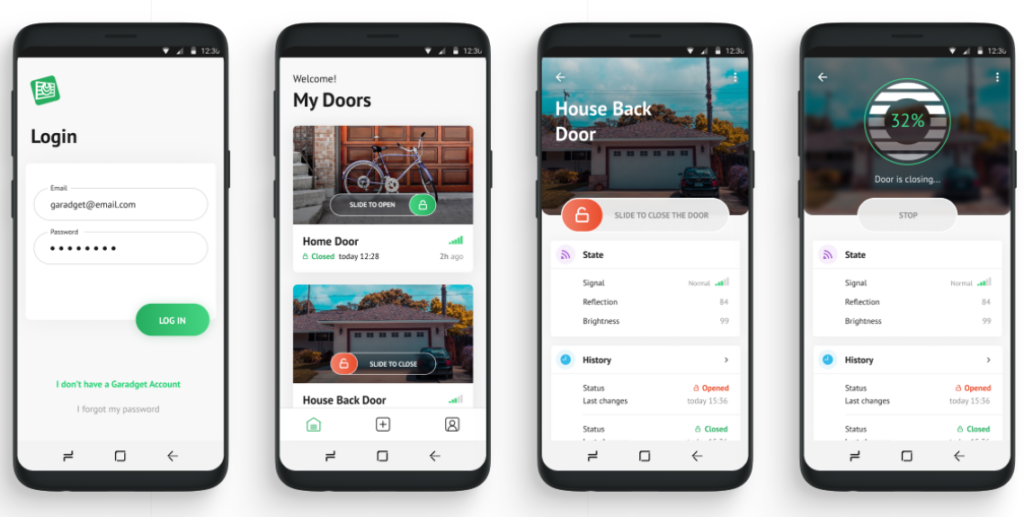
Background: Garadget is a smart home device for garage door control. Users kept leaving home with the garage door open and only realizing hours later.
Solution: A 500-meter GPS geofence around the user’s home. When the user moves beyond the boundary, and the door sensor reports “open,” the app sends a push notification. One tap closes the door remotely.
Technical approach: 500m radius – large enough to avoid false triggers from walking to the mailbox, small enough to catch the user within the first minute of driving. The system follows an event-driven architecture. It checks the door state only on geofence exit, keeping battery consumption minimal.
Results: Overwhelmingly positive user feedback. The feature became one of Garadget’s most-mentioned selling points in app store reviews, reinforcing their reputation for practical smart home features.
Bottom line: A 500-meter radius, a door sensor, and event-driven architecture – that’s all it took. Start with the problem, pick the simplest technology that solves it, and ship.
Build a geofencing feature for your product
Whether you need to develop supply chain visibility tools, location-based targeting, or a smart home feature, geofencing is a well-understood technology with clear implementation patterns. At Volpis, we’ve built location-aware systems across fleet management, logistics, and consumer products. Explore our fleet management software development services or schedule a free consultation to discuss your project.
Questions & Answers
FAQ
How accurate is geofencing, and what affects its precision?
GPS-based geofencing usually gives about 3–5 meter accuracy outdoors. However, it drops off once the user goes inside. Indoors, Wi-Fi tends to do better at roughly 1–3 meters. Bluetooth beacons, RFID, and UWB can get you down to sub-meter precision. Big buildings, crowded indoor spaces, and older devices all make things less accurate. In practice, most business use cases stick to a 50–100 meter radius because it’s more reliable overall.
How do privacy concerns and regulations impact the implementation and use of geofencing?
Collecting and using location data comes with privacy rules – and they’re strict. If you’re using geofencing, you need to treat that data carefully and keep it secure.
– Get clear user consent before tracking
– Store and process data securely
– Limit how much data you collect (only what you need)
– Protect it from leaks, misuse, or unauthorized access
If you get this wrong, it’s not just a tech issue – it can turn into a legal one pretty fast.
Can geofencing be used for both indoor and outdoor applications, and how do these technologies differ?
Yes – it works in both, but not the same way.
– Outside, it’s mostly GPS doing the heavy lifting. Big coverage, fewer constraints.
– Inside, GPS falls apart, so Wi-Fi, BLE beacons, or RFID take over instead.
Same idea either way – just different signals depending on where you are.
What is the difference between geofencing and geotargeting?
Geofencing creates a virtual boundary and triggers an action when a device crosses it – it is binary (inside or outside). Geotargeting delivers content based on general geographic location (city, zip code) without requiring boundary crossing. Geofencing is ideal for real-time proximity actions. Geotargeting suits broader campaigns like region-specific ads.
How much does it cost to implement geofencing in a mobile app?
A simple geofencing solution built with native APIs (Core Location on iOS or Android’s Geofencing API) is usually a 40–80 hour job. It changes quickly once you add backend systems, dashboards, and real-time alerts – then you’re looking at 150–300+ hours or more. After launch, the costs don’t stop either. Cloud infrastructure and third-party SDKs keep running in the background and grow with the number of active users.
What permissions and user consent are required for geofencing to work?
To enable background geofencing on iOS, a user should give an “Always Allow” location access.
The ACCESS_BACKGROUND_LOCATION permission approved by a user is needed on Android 10 and newer versions.
Both platforms also expect you to explain why you need a location in plain language. And on top of that, laws like GDPR and CCPA mean you have to be upfront about it and give people a way to opt out.
Can geofencing work without an internet connection?
Geofencing still works without the internet. The OS handles GPS, Wi-Fi, and cell signals locally, so boundary crossings are detected on the device. What stops is everything that needs a connection – pushes, server logs, API calls. Those usually get queued and sent later, once the device is back online.