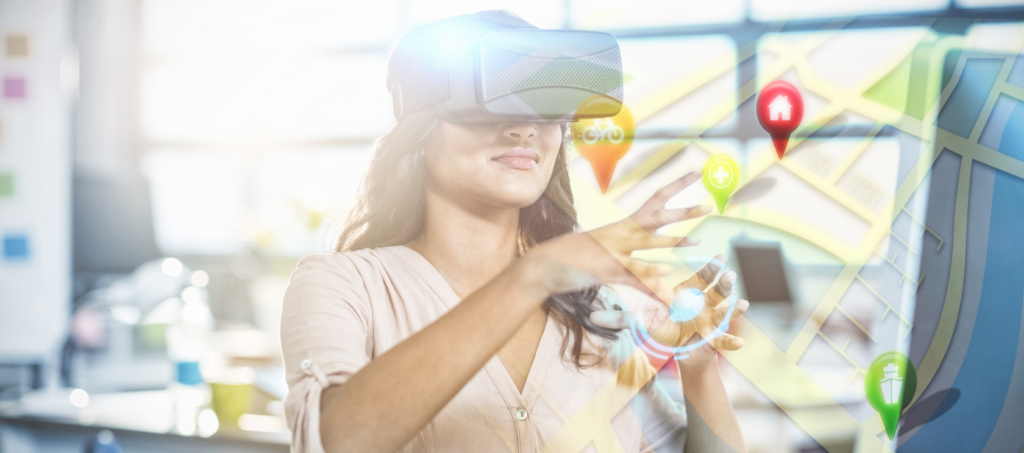

While everyone rushes to implement AI, architecture software providers stay loyal to AR functionality. The demand for augmented reality in architecture remains high, with 21% of firms using AR for visualizations, according to Architizer’s report on The Future of Architectural Visualization.
Augmented reality expands the features related to visualizations, spatial planning, and construction management. It also helps teams collaborate and match the progress with the desired outcome. They can layer a 3D project on a physical site to see any discrepancies and make sure everyone follows the schedule.
These and other benefits of augmented reality for architecture have resulted in multiple apps designed to simplify the work of architects. People use AR for building information modeling, landscaping, interior design, and other tasks, which we will discuss in our blog post. Learn practical use cases with examples and how to implement augmented reality in architecture.
What is AR in architecture and landscape design
Augmented reality in architecture implies the use of AR technology to overlay digital elements, such as 3D models or textures, onto the real-world environment. AR landscaping app users can create complex 3D models themselves or choose from an available library, then use smartphones, tablets, or AR headsets to see how these would look on site. AR allows users to visualize the desired design in real life and make timely changes to minimize rework and reduce costs.
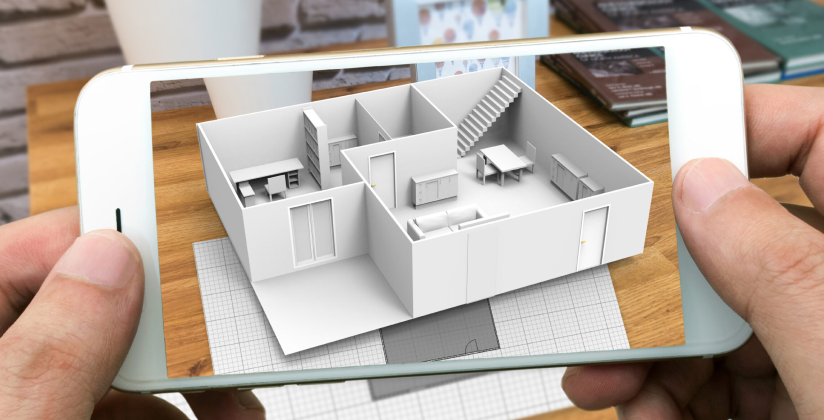
While such software optimizes many workflows of professional architects and designers, AR apps also enable regular users to decorate their homes. They can point a smartphone at a room or yard and get a better idea of how to improve it and visualize potential changes.
Top architecture AR use cases with real examples
Tech companies and architecture industry leaders have been using AR to implement advanced planning and visualizations for years. Here are the most common uses of AR in architecture and landscape design, with popular apps to try.
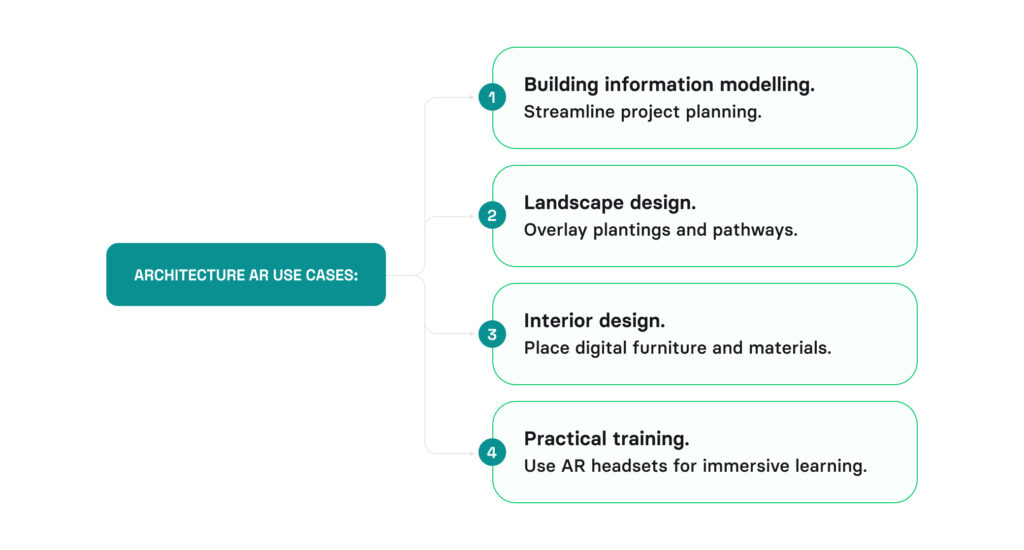
Building information modelling (BIM)
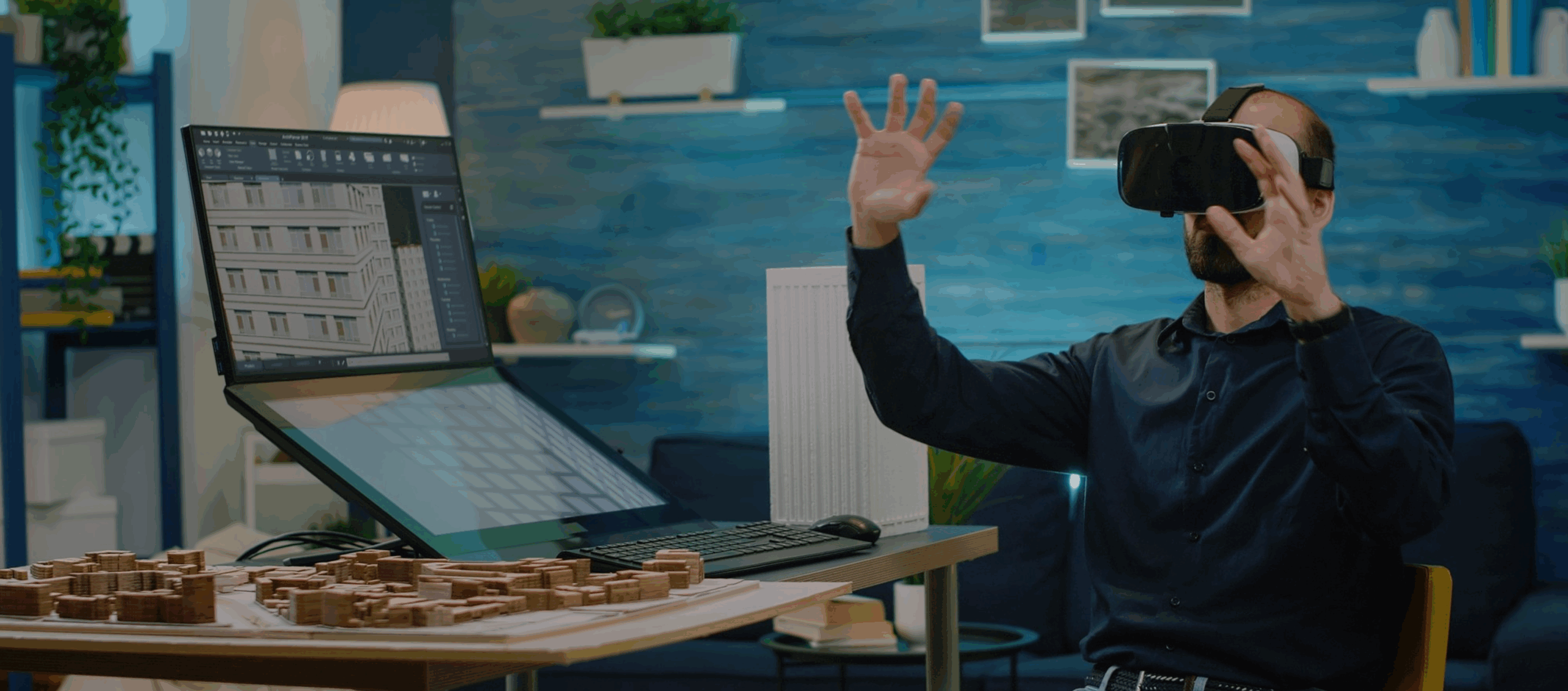
AR tools can visualize BIM models on-site, allowing architects, engineers, and construction workers to see structural elements. They can plan logistics before starting the work and detect issues that are easy to miss without visualization. It helps avoid reworks and prevents potential financial losses.
Fuzor is a renowned example of such software, particularly for its 4D construction simulation. Users can visualize construction sequences based on schedules to see how the site should look today and whether the construction is keeping up. Fuzor’s AR feature allows you to take the BIM model to the construction site. You can check it in a virtual environment or overlay on the physical site using a HoloLens headset to instantly make notes for changes and share them with the team.
Landscape design
AR landscape design works similarly to BIM 3D modeling. A designer uses augmented reality to visualize plantings and pathways on a virtual or real outdoor space. This way, they can see whether different elements match and find what should be improved. 3D modeling also allows landscape designers to present their ideas to clients and better monitor the project’s progress to make sure the final result is consistent with the initial concept.
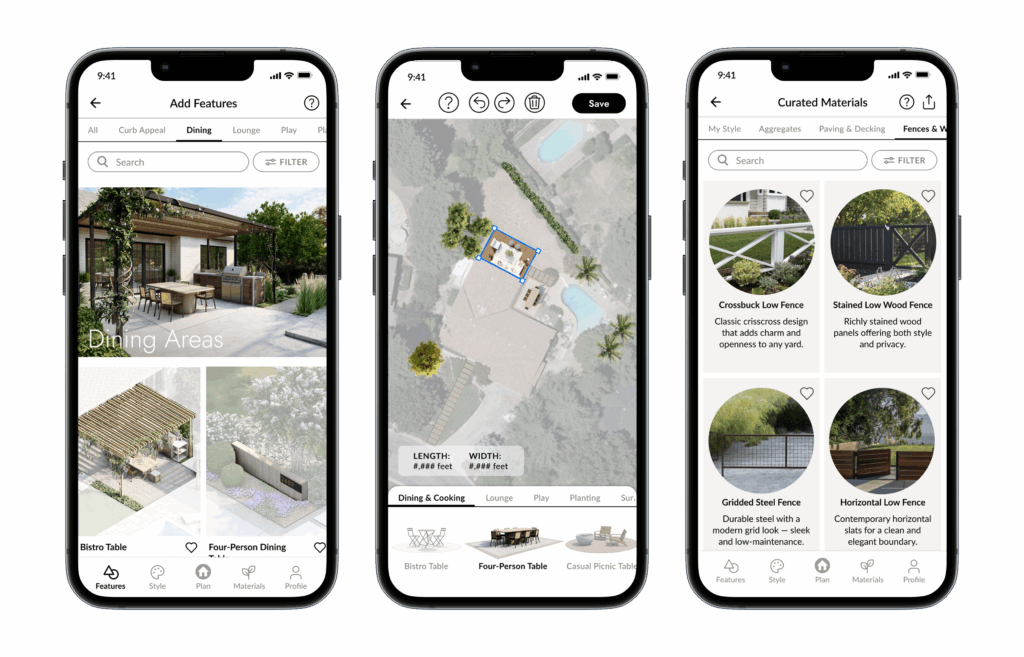
Augmented reality landscape design is also gaining popularity among non-professionals who want to make their yards more neat. The Vera landscaping & yard planner app visualizes outdoor spaces using 3D tours and explores opportunities to implement augmented reality for a more immersive experience. Designed by landscape architects in collaboration with the Volpis engineering team, it uses the property’s satellite imagery to create a plan of the plot and beautify it with drag-and-drop elements.
Interior design
AR technology simplifies purchasing furniture online for regular buyers and designers by showing how a specific piece would look in a room. It visualizes furniture and decor in the selected interior in real-time. You can also overlay different wall colors, materials, flooring, and other details to see the whole picture. It speeds up the design process and improves communication between designers and clients.
The IKEA Place app, launched in 2017, made interior design AR available to thousands of users. The company enabled buyers to try on different furniture and decor items through augmented reality before making a purchase. This app has become the foundation for the current IKEA Kreativ solution, which allows you to scan a room and select matching items from the IKEA store.
Practical training powered with augmented reality
VR and AR can be helpful for construction and architecture students who need more practical training without associated risks. VR/AR headsets and apps can teach them how to inspect equipment, implement proper safety procedures, and work under extreme conditions through immersive training.
However, this use is less common due to complex implementation and high equipment costs. The DAQRI Smart Helmet, an AR-powered construction tool that revolutionized the industry in the 2010s, eventually shut down in 2019 due to low sales, according to Tech Times news.
How to build an augmented reality app for landscape design [Real case]
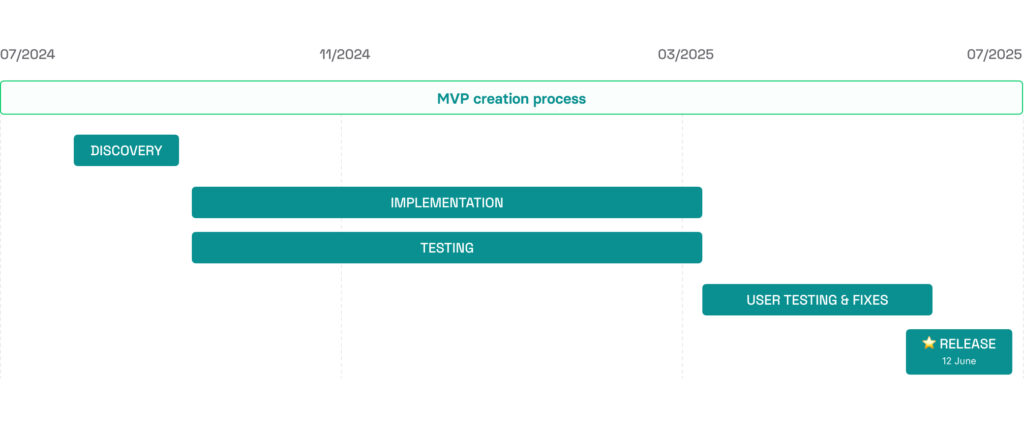
If you consider developing a custom solution with augmented reality for architecture or landscape design, you should start with discovery. The discovery stage enables you to create a structured vision of the product with clear requirements, user journeys, workflows, system architecture, and backlog, which streamlines the subsequent product development steps.
That’s what we did for Vera. Our team ran a discovery and built an MVP of a landscape design tool that enables homeowners to visualize their ideas and take 3D tours.
Discovery stage
The client already had a UX/UI design in place at the project’s start and wanted an independent opinion about it. A business analyst joined the project to review the product design, identify user flow issues, address discovered gaps, and propose user experience improvements. They also helped the client to create detailed functional documentation for further development.

The thorough discovery phase and the team’s thoughtfulness in anticipating how the product might evolve over time worked especially well. They wrote this phase into their proposal—which no other team I interviewed considered—and it proved to both enhance the final product and become the backbone of our work together.
– Janice, founder of Vera
App development
The engineering team developed the app’s MVP in sprints following the Agile approach. The MVP allowed the client to validate that users without professional design backgrounds could successfully create and visualize landscape plans using simple, guided tools. User testing showed that clear onboarding and contextual hints significantly improved confidence and completion rates among first-time users.
The project also required multiple third-party integrations, including Google Maps, Amplitude, Perplexity AI, Contentful, and Customer.io. By configuring these services, our team enabled mapping services, AI-based plant recommendations, and CMS functionality within the app.
The first MVP version didn’t include AR functionality, supporting only 3D tours. AR implementation is planned for the upcoming project stages to enable users to preview objects in a real environment using their mobile devices.
With the current app version, users can plan a landscape, use style-based recommendations for materials and plants, create different versions of their dream gardens, and select the best one. Read more about how our team worked on the project in the case study.
Why invest in architecture and landscaping software with AR
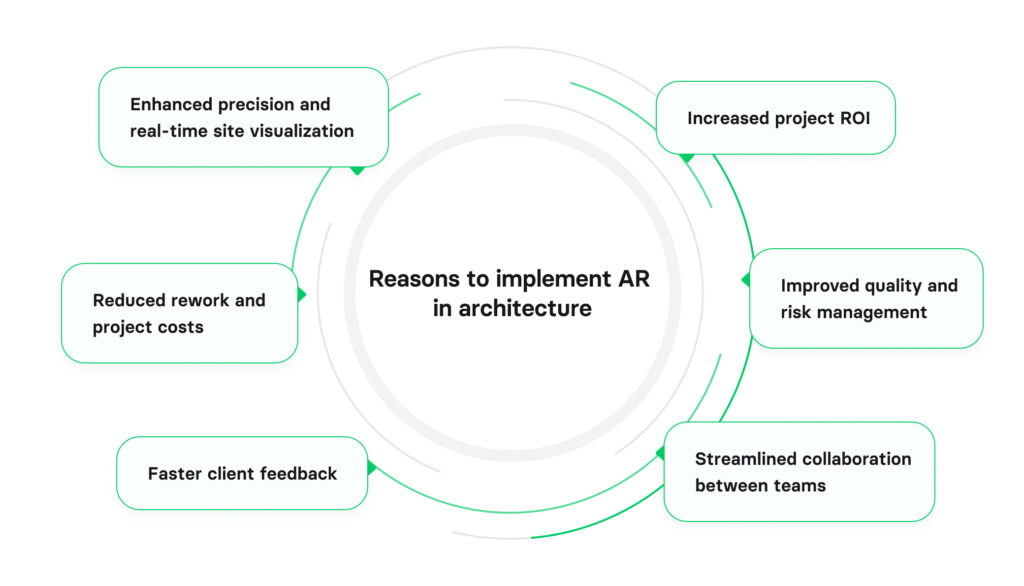
Getting an augmented reality landscape design app for your bureau can optimize work across all project stages, from presentation to completion. AR allows technicians to design the overall building, organize spaces with accurate proportions, and compare different elements, materials, and textures to choose the best combination. Then, they can check how the project looks on-site and present it to potential clients to gather immediate feedback: It saves time, improves client satisfaction, and brings other benefits, including:
- Fewer reworks and lower cost of the project, both for the architectural company and clients;
- Early identification of critical issues for improved project quality and risk reduction;
- Advanced customer services resulting in higher ROI;
- Streamlined workflows and collaboration between teams, especially with those on-site.
Tech companies that consider augmented reality for architecture software development benefit from a stable demand for AR technologies in the field. Architizer’s report says 31% firms are planning to invest in architecture AR in the next year, so the need for AR-powered software doesn’t seem to fade soon. By expanding the functionality of software with AR, you meet the market need for advanced architecture project planning. Even though the implementation of AI technologies is growing, and more firms are starting to use AI for visualizations, AI cannot yet replace augmented reality. AR technologies provide a unique spatial experience in real life, allowing architects to immerse themselves in the space and make better-informed decisions.
How Volpis can help you implement AR
Volpis is a custom software engineering company with years of experience in AR software development services. We cover every stage of AR implementation from feasibility analysis to infrastructure design, coding, release, and maintenance. Our team can help you implement the functionality for:
- AR room and environment visualization
- Tracking and visualizing faces
- Exploring real geographic locations in AR
- Capturing body motion in 3D
- AR indoor navigation
We have implemented AR technology in multiple projects, including a LiDAR-powered room scanning app called Room Xpand. The app enables users to scan indoor spaces with their smartphones, generating a detailed 3D model, and create an editable 2D floor plan. They can add interior design elements and change the layout for more convenient planning.
If you are considering building a custom AR product and are not sure where to start, we can guide you. Email us at info@volpis.com or use the website contact form to have a free consulting session. We will evaluate the feasibility of your idea, SDK options, and roadmap trade-offs.
Questions & Answers
FAQ
Will AI replace augmented reality in architecture and landscape design?
AI can replace some AR features, including design generation, but these technologies are most effective when used together. While AI automates tasks, speeds up image generation, and brings predictive analytics, AR enables users to see designs on-site and offers walk-through tours for a more realistic experience.
What is the difference between AR and virtual reality in architecture?
Augmented reality layers 3D models over the real-world environment, allowing users to understand what different elements would look like after implementation. With virtual reality, users see a fully digital world, which has little in common with the real one. A typical example of VR architecture is a 3D model you can walk through to understand how it feels and test the future design.
What equipment do I need to use AR in architecture or landscaping?
The type of equipment largely depends on the complexity and functionality of the AR software. Today, most software providers offer AR technologies that are mobile, creating solutions for smartphones and tablets. For more advanced systems with immersive experiences, users need AR headsets and accessories.
How to integrate AR in architecture software?
There are several ways to implement AR functionality, both through integration and custom development. An engineering team can directly connect a third-party service with built-in AR features to the core system. Alternatively, if you require a custom solution, you can use engines like Unity or Unreal Engine to develop AR-powered architecture software from scratch.