
Mobile app development is a continuous process, even after the app goes live. At some point, you may notice declining conversions, weaker user activity, or regular complaints about the user experience. These are the signs that your app needs a redesign and careful review of its existing UI/UX flows.
We understand the challenges a development team faces during the mobile app redesign process and want to share a comprehensive checklist with you. Use it as a guide for each critical phase of the mobile app redesign process.
Comprehensive mobile app redesign checklist
This mobile app redesign checklist serves as a sequence of steps engineering and design teams follow when updating a mobile app. Go through them to make sure you don’t miss anything.
1) Pre-redesign phase
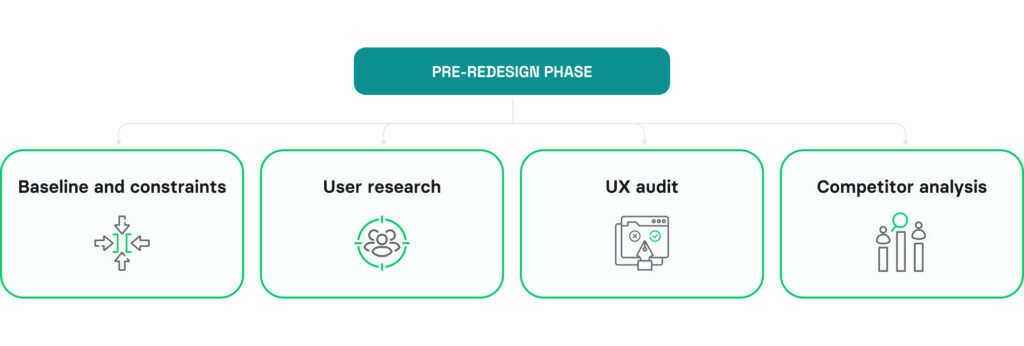
Before an engineering team starts implementing any design changes, you must analyze your existing app and incorporate user feedback to make appropriate updates. This is a pre-design stage in our mobile app redesign checklist consisting of the following steps:
Goals and success metrics
Start by clearly stating what you want to achieve with the redesign, whether it’s enhanced user experience and improved user satisfaction, increased in-app purchases, adding new app features, or addressing performance issues. Understanding the goals will direct the redesign plan and make it easier to gauge success afterward. You should also adopt app redesign success metrics to measure the real impact of upgrades in the long run.
Baseline and constraints
The next step in our mobile app design checklist is determining the baseline, which is the current state of the app. Your team should measure metrics important for app redesign, such as retention, conversion, and task success, gather user engagement data, and assess app performance. Besides setting the baseline, you should also identify any limitations that may affect design changes, such as fixed launch dates, a low budget, or a legacy codebase.
Find strategies to improve conversion through mobile app redesign in our recent post.
User research
Gather and review all existing user feedback. This includes analyzing reviews, checking support tickets, and looking at survey responses. This helps to see what users enjoy and don’t like about your mobile application. It’s a crucial step because it shows which features need improvement and which ones are already doing well. User research will also help you prioritize the backlog and see which updates have the highest potential value.
UX audit
Analyze user behavior by examining core flows, drop-off points, and redundant steps. You must know why people use your app and whether it meets their real needs. UX audit helps find hidden issues, make the application more relevant, and achieve a stronger market position. At this point of the mobile app redesign checklist, it’s also necessary to review the information architecture, usability, visual design, and accessibility to identify and fix app design issues.
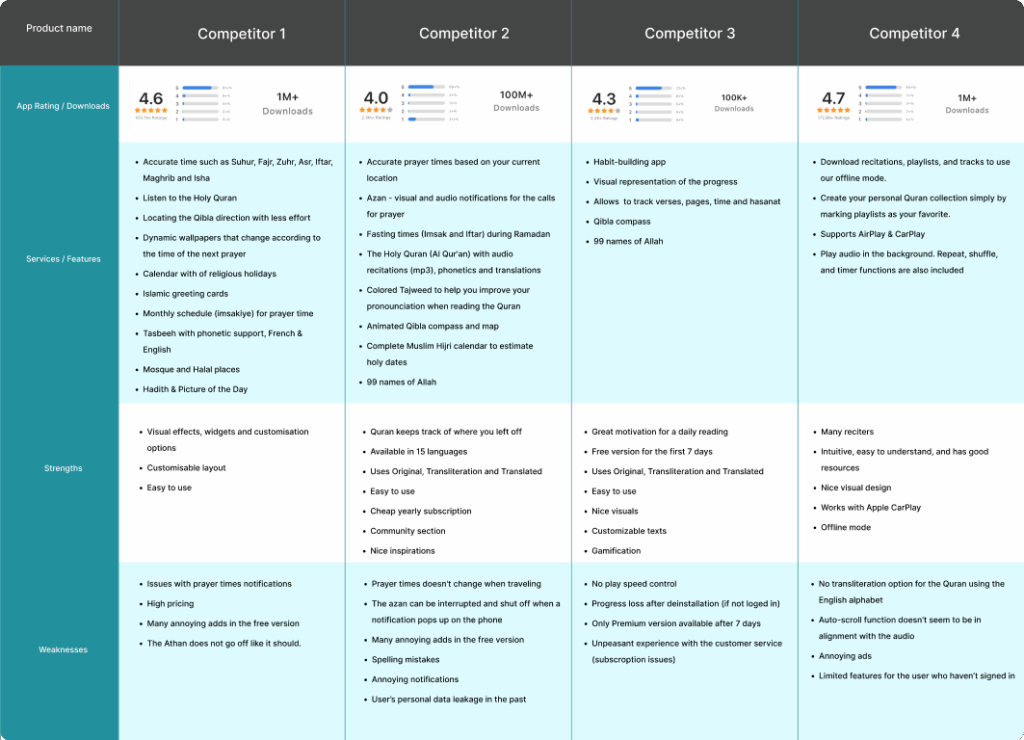
Competitor analysis
Research competitors’ apps to see what key features and designs are prevalent in the industry. Look for innovative features and successful design elements. This helps understand market standards and user expectations. It can also spark ideas for your redesign.
2) Redesign planning
During the planning phase, teams should create a clear redesign roadmap, prioritize changes, and make sure everyone understands the required modifications. It helps align app design with previously determined user preferences and market demands.
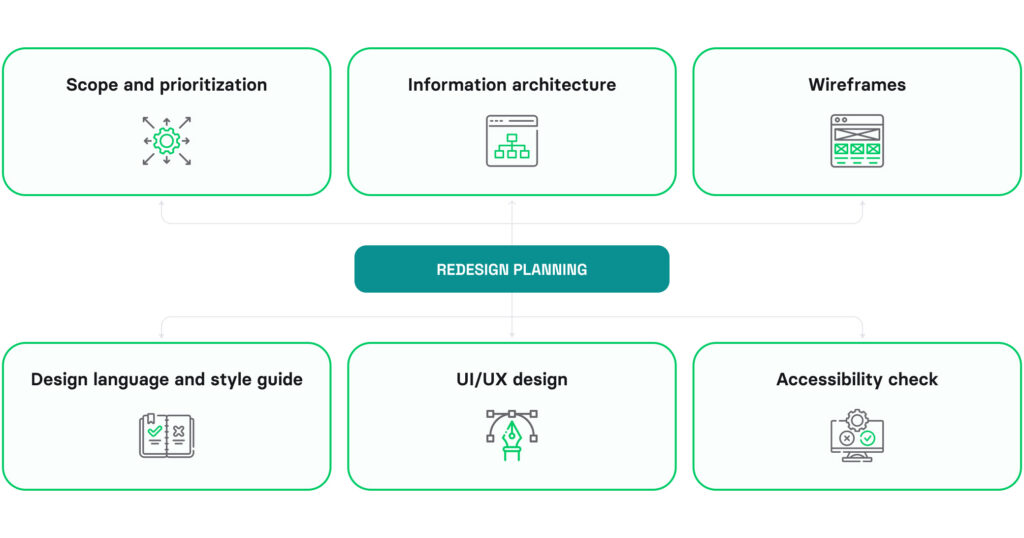
Scope and prioritization
The actual scope of redesign tasks may differ from initial discussions, as you must consider the available budget, resources, and priorities. Lock the scope with engineering and design leads and use RICE or weighted scoring to sieve out our nice-to-haves that won’t affect metrics. Prioritization gives the team a clear redesign roadmap and ensures better control over unplanned changes or conflicting tasks.
Information architecture
Information architecture reflects the interdependence between different app components and its internal structure. It helps make sure users can easily find what they’re looking for and navigate the app without confusion. At this point, it’s also important to consider scalability, preparing the app to handle a growing number of users and additional features in the future.

Wireframes
Wireframes are like a blueprint for your app’s new look and features. They visualize layout changes, how users will navigate (user flows), and the placement of elements in new designs.

Design language and style guide
Designing a user-friendly and intuitive mobile app interface requires implementing best usability practices. You should define a comprehensive mobile app design language and style guide, including color schemes, fonts, and icons, that match your brand and make your app visually appealing. Also, select UI patterns that fit your brand.

UI/UX design
Rely on the information gathered from user research, market analysis, and problem definition to finalize UI/UX design. At this step, the team needs to create and validate high-fidelity screens that align user needs with business objectives, ensuring the redesign improves usability, engagement, and conversion, not just visual appeal.
Accessibility check
Ensure that your app’s design meets standards for people with disabilities, such as WCAG, ADA, and the European Accessibility Act. This means making its design compatible with screen readers, using high-contrast colors with a contrast ratio of at least 4.5:1 for text, and ensuring that navigation elements are convenient for people with motor impairments. eBooks and media-heavy apps also require synchronized text-to-speech for accessibility.
3) Development phase
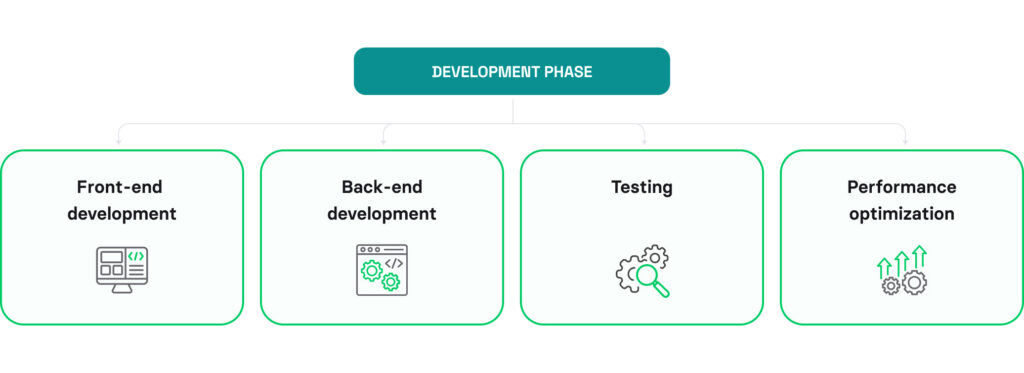
The mobile app development phase consists of coding, programming, and integrating new elements. Engineers improve the user interface and add new features based on priorities and dependencies.
Development work isn’t just coding. It also includes thorough usability testing to detect and fix any issues before the redesigned app release. During this stage of the mobile app design checklist, the engineering team relies on regular feedback loops and agile methods to adapt to changing needs and make mobile app development more efficient.
Front-end development
The front-end app development stage includes writing code to create the app’s visual layer and turn approved designs into a usable interface. Engineers implement redesigned user flows, ensure UI responsiveness, and fix visual bugs to finalize the design before further development and testing.

Back-end development
Ensure that the back-end functionalities are updated to support the changes, including server and application logic, database management, performance, and scalability. Strengthening the back-end allows you to add new features and make sure they work smoothly under different loads and uses.
Testing
Run thorough usability testing focusing on core user tasks across various mobile devices, operating systems, screen sizes, and scenarios. Testing should cover the app’s functionality, user interface, and performance to guarantee a smooth operation of the app. Look for mis-taps, backtracking, confusion or frustration signals, and measure time to complete tasks for objective estimates.
Performance optimization
Prioritize improving the app’s performance by optimizing loading times, reducing its size, and managing resources more effectively. This will result in a better user experience and make your app more stable in the long run.
4) Post-redesign phase
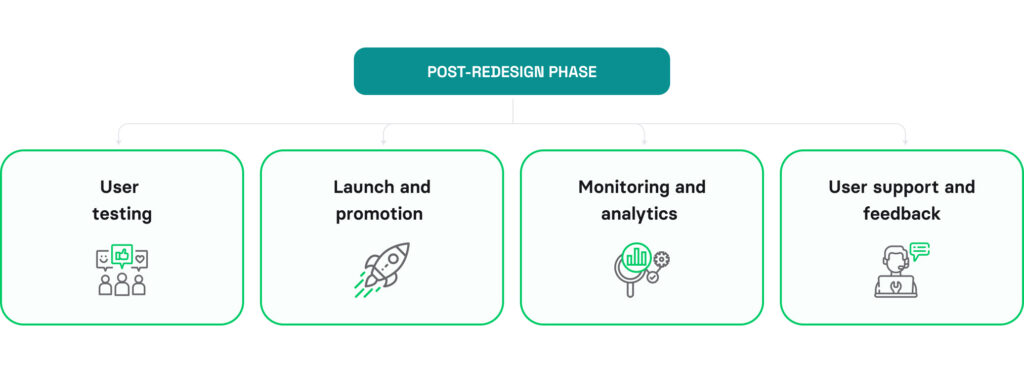
Once the redesigned mobile app goes live, the focus shifts to evaluating, refining, and optimizing it. You’ll need to closely monitor user behavior and engagement, mobile app performance, and feedback to ensure a smooth and satisfying user experience.
Customer support and communication become crucial after the mobile app launch to gather user feedback and address any concerns. This phase may also involve releasing updates or patches to fix detected issues and introduce new app features based on emerging user needs.
The post-redesign phase ensures that the mobile app remains competitive by being responsive to user feedback and market trends.
User testing
Engage a segment of your target audience to test the redesigned app and analyze feedback to ensure the changes have a positive effect. Look for any areas that still need work or enhancement.
Launch and promotion
Roll out the redesigned mobile app, supporting the launch with a multi-channel marketing campaign. It may involve using social media, email marketing, and in-app announcements to promote the new version of your app.
Monitoring and analytics
Set up analytics tools to monitor user behavior and how well your mobile app performs. Keep an eye on important performance metrics to measure the redesign’s success. Use this data to find ways to make continuous improvements in the following sprints that will increase user engagement.

User support and feedback
After launching the app, users should have strong support options (e.g., in-app help, contact support, feedback button, and FAQs) that address all concerns promptly. Record their feedback and make improvements to the mobile app based on what they say. Remember to balance user preferences with the real business value of every change to focus on the most critical modifications and use your budget wisely.
Additional considerations
When redesigning a mobile app, it’s important to consider additional factors, such as security, compliance, and user documentation, to build a high-quality solution that is easy to maintain and use. Here are some extra insights from our comprehensive mobile app redesign guide:
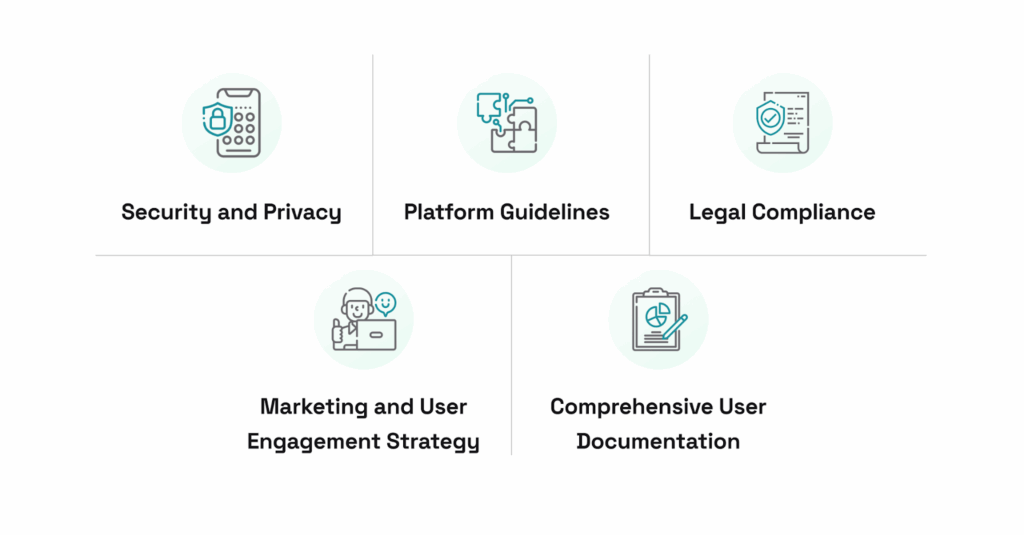
Security and privacy
Ensure strong security measures and comply with data privacy regulations to ensure data protection and gain the trust of your target audience.
Platform guidelines
Follow the specific app design and functionality guidelines of app stores (such as Google Play Store or App Store) to ensure smooth approval during submission.
Legal compliance
Ensure your mobile app meets all relevant legal requirements. This includes user data handling, terms of service, and copyright laws.
Marketing and user engagement strategy
Develop a comprehensive strategy to attract and retain users after app redesign. It may include personalized content, rewards, and community building. Thoughtful marketing tactics and transparent communication strategies play a key role in driving user adoption.
Comprehensive user documentation
Offer thorough documentation and guides to assist users. These resources will help them get started and improve their experience by simplifying navigation and overall app usage.
Mobile app redesign checklist (customizable template)
To tailor this mobile app redesign checklist to your company’s needs, download this template here.
Mobile app redesign case study
The Volpis team has worked on redesigning a popular non-profit app for Android and iOS, the Holy Quran. The application is highly trusted within the Muslim community and among those interested in Islam. Throughout our collaboration, we have successfully elevated the app rating from 4.3 to 4.8 by implementing new features and enhancing the design, surpassing 1 million downloads. Find more information about this redesign journey in the case study.

Whether you’re seeking to enhance user experience, improve functionality, or give your app a fresh look, we offer custom mobile app redesign services. Tell us about your design needs by sending a message to info@volpis.com or connecting on LinkedIn.
Questions & Answers
FAQ
When should a mobile app be redesigned?
A mobile app should be redesigned when users regularly experience problems and share negative feedback about the app, or you notice a performance decline. You may also need to redesign it if your business goals and target market have changed, and the app no longer meets them.
How to use the mobile app redesign checklist?
The mobile app redesign checklist reflects the main stages of the mobile app redesign process. You can go step by step to ensure you cover them when planning and managing an app redesign.
How to prioritize features during a redesign?
To prioritize features during a redesign, you should communicate with stakeholders, gather user feedback, and consult with a design and engineering team to evaluate the value of each feature. Engaging business analysts facilitates prioritization and helps analyze the potential impact of each change more accurately.
How to know if a mobile app redesign is successful?
To know whether a mobile app redesign is successful, you should set the baseline before implementing changes and measure their impact afterward. Track such key metrics as retention rate, sessions per user, time spent, task completion rate, conversions, and uninstall rates; monitor user behavior; and gather feedback directly.