
- Mastered by 5.4% of developers, Swift is the primary programming language for iOS software development.
- According to Google, Flutter is now powering 30% of all newly released free iOS apps, showing the growing demand for cross-platform development.
- Swift is an optimal choice for apps that focus on performance, hardware, security, or a long lifespan.
- Flutter for iOS development wins when speed-to-market and a codebase shared across platforms are the most important factors.
Swift, as the successor to Objective-C, remains the go-to language for iOS app development. But cross-platform technologies are keeping pace, with Flutter now powering close to 30% of all new free iOS apps with over one million monthly active developers, according to Google’s developer blog.
From my experience, both technologies are excellent tools that shine in different situations. The mistake I see most often isn’t picking the “wrong” one – it’s choosing based on hype rather than the actual needs of the product.
In this article, I’ll compare Swift and Flutter for iOS app development based on my 10+ years of experience and a portfolio of more than 80 mobile apps successfully built and released. I’ll focus on the strengths and weaknesses of both technologies, helping you understand their optimal use cases.
What do cross-platform and native iOS app development actually mean?
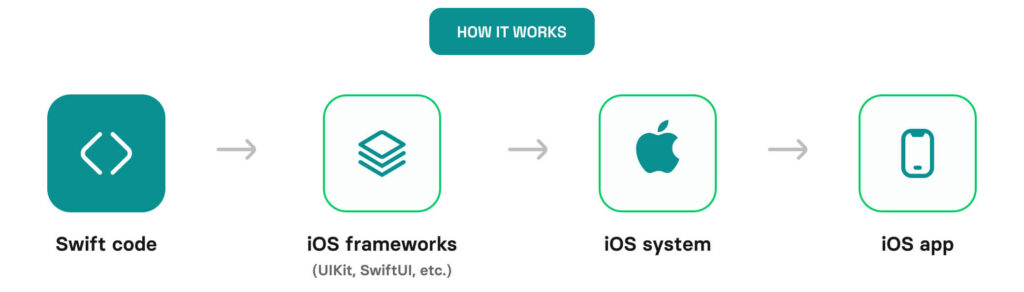
In native iOS app development, you build applications using Apple’s ecosystem, with the Swift programming language as the primary technology. Everything is direct, kept within the iOS ecosystem, and built with Apple’s native SDKs, such as UIKit and SwiftUI for UI/UX design, Core Location for geographical positioning, Core Bluetooth for Bluetooth functionality, etc. No translation layer required.
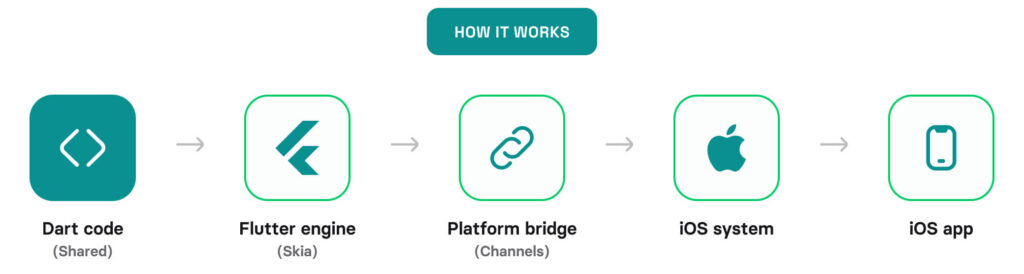
In cross-platform development with Flutter, developers write code once in Dart and render it through Flutter’s engine, which talks to the OS through a bridge.
That single difference explains most of the trade-offs below.
| Native (Swift programming language) = full access, full performance | Cross-platform (Flutter framework) = abstraction with trade-offs |
|---|---|
Day-one access to new Apple APIs. No bridge means lower latency, smoother animations, tighter memory/power control. Consistent behavior across iOS versions. | Can’t fully replicate every native API. Depends on plugin ecosystems, some of which are outdated. The UI looks close to native but can feel slightly off. |
When does native Swift clearly win? 5 real-world scenarios
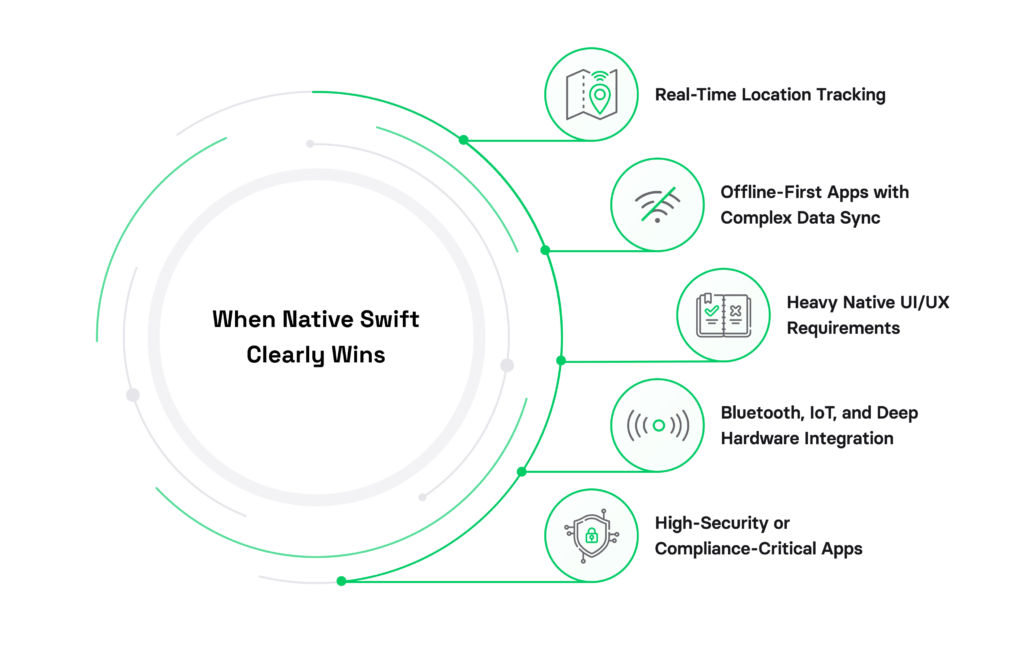
Let’s start with use cases in which iOS native development advantages make a difference.
1. Real-time location tracking (fleet, navigation, logistics)
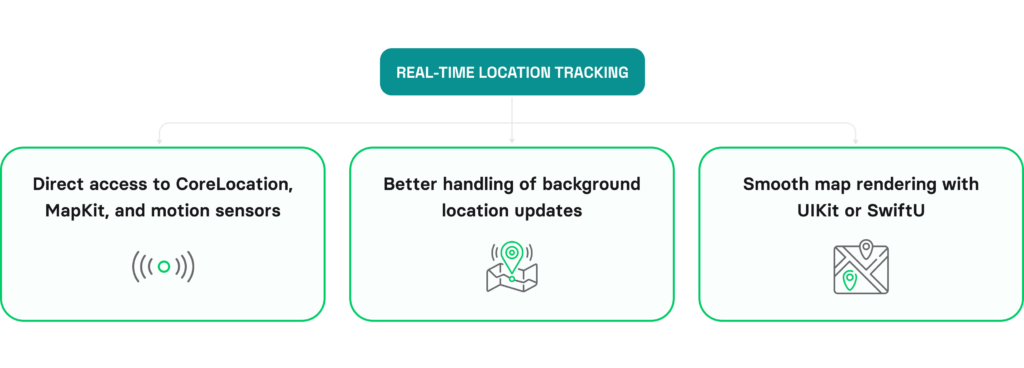
Swift shines when you need to track a device’s location in real time with maximum precision, thanks to:
- Direct access to Core Location, MapKit, and motion sensors.
- Reliable background updates.
- Smooth map rendering.
Under sustained real-time load, Flutter’s plugin routing is where delays and sync failures show up.
This difference is especially important when it comes to apps related to transportation. For more insights, check the Rand One case study where Swift’s powerful capabilities enabled precise vehicle location tracking.
2. Offline-first apps with complex data sync
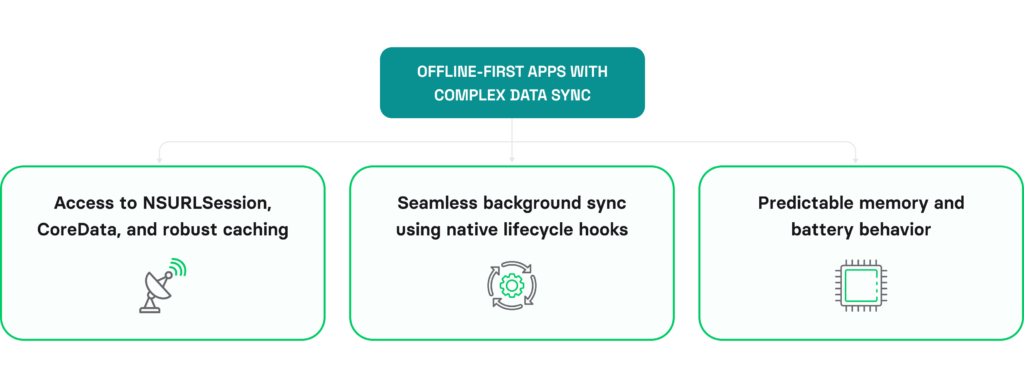
Native Swift gives more predictable memory and better behavior because of:
- Access to Core Data/SwiftData and powerful caching.
- Seamless background sync using native lifecycle hooks.
On the contrary, a cross-platform app development framework often fails silently here: missed updates, incomplete syncs, or battery drain.
3. Heavy native UI/UX requirements
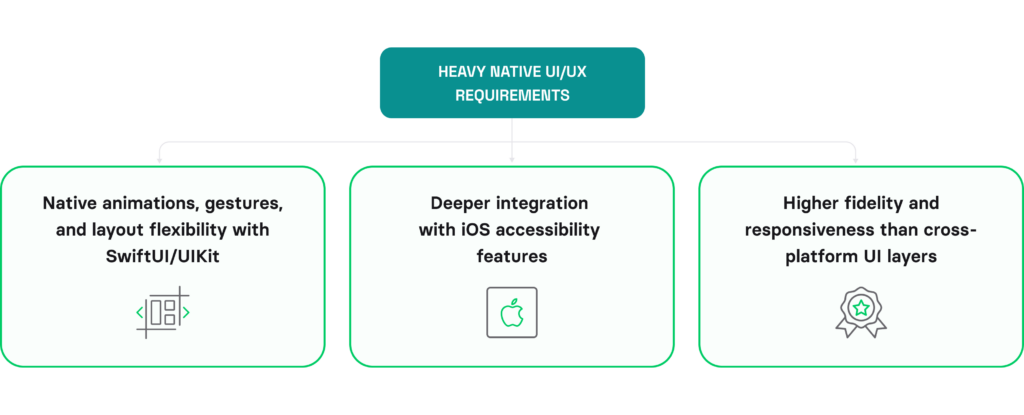
Native Swift provides the most up-to-date capabilities for UI/UX design. For example, it:
- Renders straight to the screen with no intermediate layer.
- Provides fully-native animations, gestures, and layout flexibility thanks to Swift UI/UI Kit.
- Ensures higher fidelity and responsiveness compared to the cross-platform UI layer.
Flutter provides powerful UI development capabilities, and the framework also provides a Cupertino Kit, which is a UI component library that mimics iOS design language and aesthetics. Still, UI built with Flutter is likely to introduce some delays that Apple-fluent users notice.
To build a cross-platform solution with native iOS UI, use Kotlin Multiplatform (KMP) in combination with Compose Multiplatform for UI development. You can find more information on this in the article on Kotlin Multiplatform’s production readiness in 2026.
4. Bluetooth, IoT, and deep hardware integration
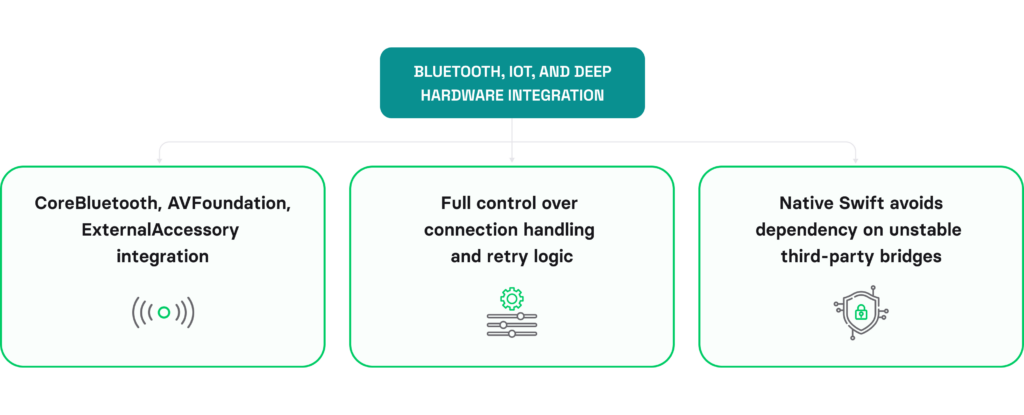
Native Swift is meant to integrate with iOS-specific device features because it talks to hardware directly via Core Bluetooth. This approach:
- Provides full control over connection handling and retry logic.
- Allows you to avoid dependency on unstable third-party bridges.
In Flutter, indirect access to hardware makes an app less reliable. For example, a lagging plugin can break your hardware feature on an iOS update.
5. High-security or compliance-critical apps
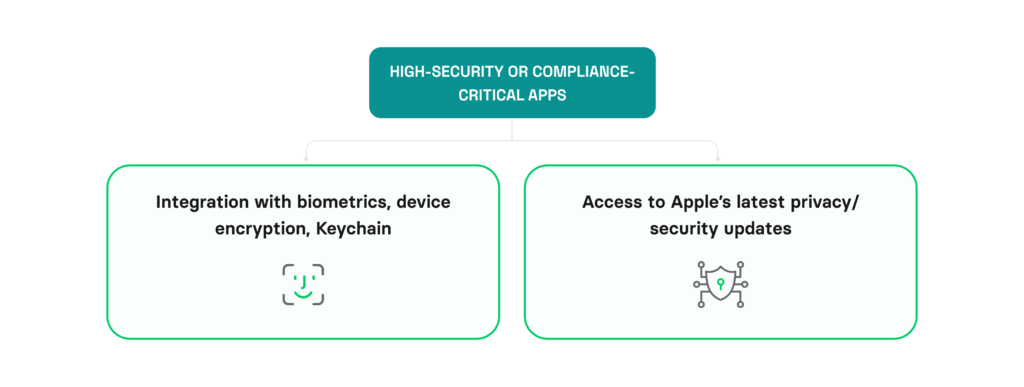
Swift also offers several important features and benefits for building secure apps:
- It provides Keychain, Secure Enclave, biometrics, and same-day privacy updates.
- Core ML and Apple’s Foundation Models reach Swift first.
At the same time, in high-compliance industries, cross-platform lag and plugin risks introduce unnecessary liability.
In all five categories, the failure mode is identical. The app works in the demo, then degrades under real-world load or breaks on an iOS update because a plugin lagged.
When is cross-platform good enough?
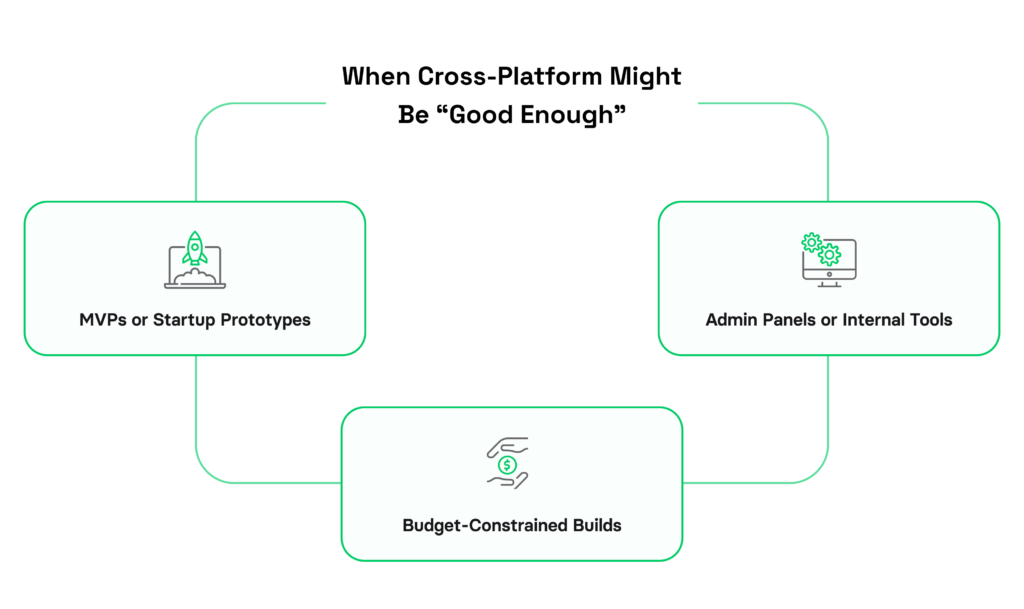
Cross-platform is a good choice much more often than native purists admit when it comes to the Flutter vs Swift debate. Flutter shines when shipping fast across two platforms matters, and your app doesn’t lean hard on native hardware or performance. The key question isn’t “Is Flutter as good as native?” but “Does this product need native polish, or do I need to reach both platforms quickly?” If the latter, Flutter wins on speed and cost. If the former, expect friction.
1. MVPs and startup prototypes
Flutter’s shared codebase is hard to beat when it comes to validating ideas across different platforms with tight budgets. You can ship an MVP to iOS and Android simultaneously with a single engineering team and do it really fast.
That said, if your MVP gains traction and user feedback demands native integrations (push notifications, payment flows, hardware access), you may need to invest in platform-specific modules or rewrites later. For more insights, check my article on when Flutter is the best choice for startups.
2. Admin panels and internal tools
For internal tools that support business-critical workflows, performance and consistent functionality matter way more than native feel or platform-specific polish.
One Flutter codebase means you’re not juggling separate iOS and Android versions of your admin tool. You cut QA work and deployment headaches. If you’re running multiple internal tools, it’s even better – same codebase, same pipeline, same test suite.
3. Budget-constrained builds
If you need both platforms and budget for one engineering team, Flutter covers both with a single hire profile. No need to split costs between iOS and Android specialists.
But the tradeoff may appear later: adding heavy native capability later – deep hardware integration, performance-critical features, or complex OS-specific APIs – usually means a partial or full rewrite. Plan accordingly. If you suspect you’ll need native-heavy features within 12-18 months, think twice about whether the short-term savings justify the later technical debt.
“Good enough” is a valid answer. The danger isn’t choosing Flutter, it’s choosing it for an app that always needed native, and finding out 18 months in.
Flutter is not the only cross-platform development framework that offers powerful capabilities for iOS development. Kotlin Multiplatform is rapidly gaining popularity. For more insights, check my KMP vs Flutter comparison, as well as an article where I compare KMP vs Swift for iOS development.
Swift vs Flutter: the honest pros and cons
Here is an honest list of pros and cons for both Flutter and Swift based on my experience from multiple iOS projects.
Swift: strengths and trade-offs
Swift pros:
- Best-in-class performance on iOS.
- Direct access to iOS frameworks on day one.
- Smallest binaries.
- The most native-feeling UX.
- The longest maintenance runway since Apple controls the language.
- If your app lives on iOS only, Swift eliminates any bridging layers.
Swift cons:
- iOS only – no Android without a separate team.
- First build takes longer than Flutter’s hot reload cycle.
- You need iOS specialists, which narrows your hiring pool and raises salary expectations.
Flutter: strengths and trade-offs
Flutter pros:
- One codebase runs on iOS and Android simultaneously.
- Hot reload cuts iteration time dramatically.
- Upfront costs are lower (one team, not two).
- The ecosystem is growing fast with solid third-party packages.
Flutter cons:
- OS updates can expose your app until Flutter’s engine catches up.
- App binaries run larger than native equivalents.
- Deep native features need plugins – if a plugin doesn’t exist or breaks, you’re writing platform-specific code anyway.
- The UI won’t feel quite like native on either platform.
Dart is approachable, and one Flutter developer covers both platforms, which means simpler and cheaper early hiring. Flutter’s talent pool is also quite strong, with 5.9% of developers reporting proficiency in Dart, according to the Stack Overflow Developer Survey. Swift has a steeper ramp but more depth. Your stack choice locks in your hiring path. Swift also has a solid talent base, with 5.4% of developers from the same survey reporting proficiency in this programming language. If you’re leaning towards choosing the native path, see the traits to look for when hiring a Swift developer and the engagement models for hiring Swift developers.
Flutter vs Swift for iOS: side-by-side comparison
As seen from my overview above, Flutter and Swift win at different things. Different project demands may require different strengths. The table below summarizes the Flutter vs Swift comparison.
| Project requirement | Cross-platform (Flutter) | Native (Swift) |
|---|---|---|
Real-time location / maps | Workable, plugin-dependent | Best, direct CoreLocation |
Offline-first complex sync | Possible, harder to control | Best, Core Data / SwiftData |
High-end UI/UX & animation | Good, can feel slightly off, but much of the gap is closed with Flutter Cupertino widgets | Best, true native feel |
Bluetooth / IoT / hardware | Plugin-dependent, quality varies | Best, direct CoreBluetooth |
Security / compliance / on-device AI | Solid security, but logs on cutting-edge Apple APIs | Best, day-one APIs |
MVP across iOS + Android | Best, one codebase | Slower, two codebases |
Internal tools / dashboards | Best, efficient | Unmatched capability |
Time-to-market on a budget | Faster & cheaper upfront | Higher upfront investment |
App binary size | Larger (~52 MB sample) | Smaller (~23 MB sample) |
Hiring / talent pool | Broader, one dev covers both | Specialist iOS talent |
Final thoughts
Swift vs Flutter for iOS development, in one sentence: choose native Swift when your iOS app depends on performance, hardware, security, or a long lifespan, and choose Flutter when speed-to-market and a shared codebase matter more than squeezing out every last bit of native polish. Both are excellent tools.
And regardless of the technology you choose, Volpis is ready to deliver. Talk to us about your project, and we’ll help you decide which path fits your app, team, and timeline.
- Hire Swift Developers – for iOS-native projects
- Hire Flutter Developers – for cross-platform iOS + Android
FAQ
Can I start with Flutter and switch to Swift later if needed? And vice versa?
You can, but switching usually means a full rewrite. Dart, the programming language behind Flutter, and Swift use entirely different architectures, so code can’t be reused. For a simple short-term app, that may be fine. If you expect to scale or add heavy native features, starting on the right stack is far cheaper than rebuilding later.
Is Flutter cheaper than native iOS development?
Upfront, usually yes, since one codebase covers iOS and Android. Over a multi-year lifespan, the math in the native vs cross-platform debate can flip: if the app later needs deep native capability, the rewrite and plugin-maintenance costs can exceed building native from the start.
Does Flutter save two times the development time compared to native?
It can deliver such time savings for a two-platform app, since you write the UI once. But the “2x” assumes your app maps cleanly onto Flutter’s strengths. Add heavy native features or platform-specific UX, and the savings shrink as you write workarounds for your cross-platform apps.
Can I create a companion Apple Watch experience from my iOS Flutter app?
It is possible, but not directly. watchOS apps are built natively with SwiftUI and WidgetKit, and Flutter doesn’t target Apple Watch. You can pair a Flutter iPhone app with a natively built Watch companion, but the Watch side is native Swift work regardless. If you are targeting a smooth Apple Watch experience, Swift is the right choice in the cross-platform vs native debate.